
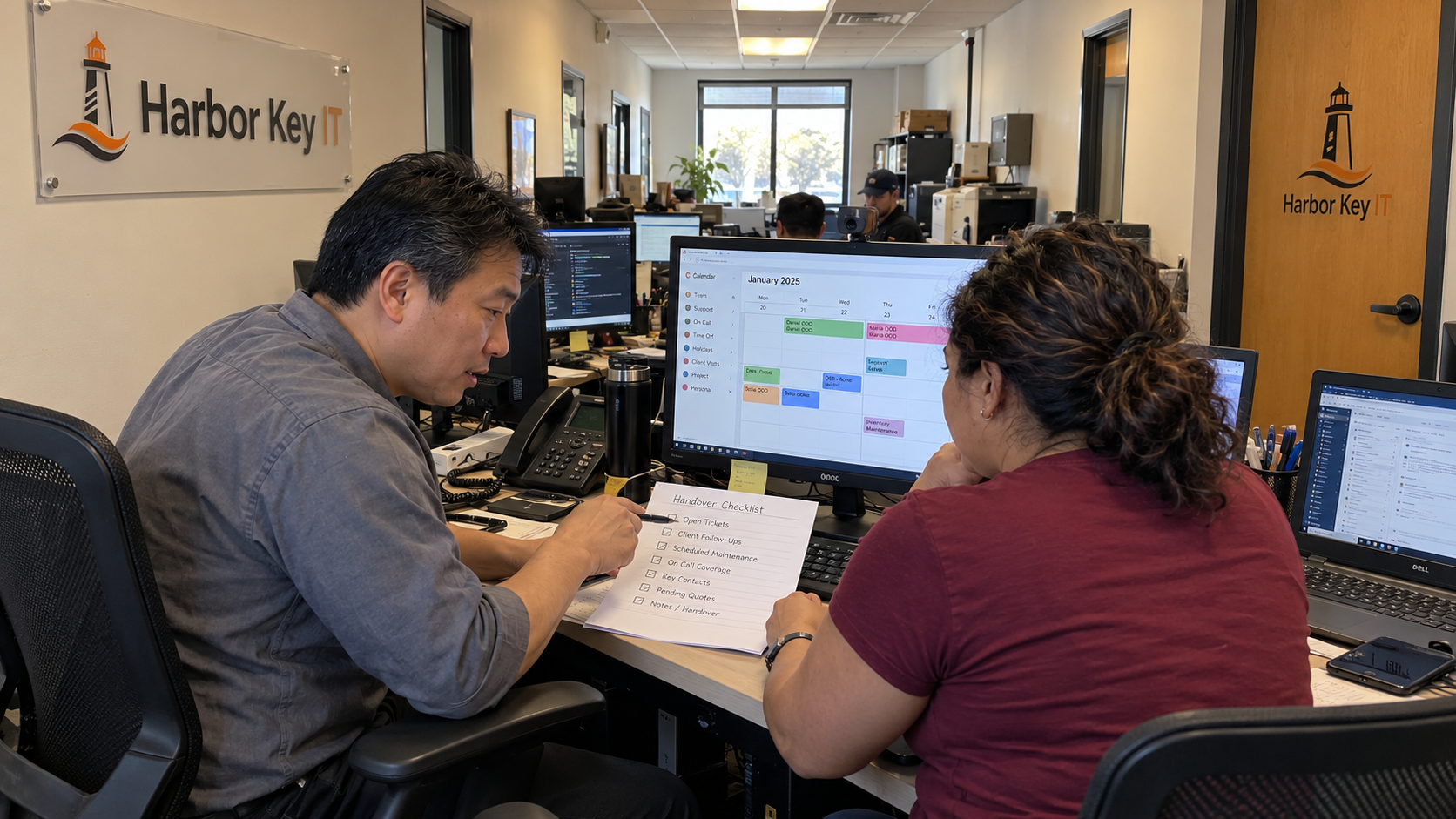
A time off policy for small business needs a request route, a coverage decision, and a handover the remaining team can use. For an MSP, I'd put the service calendar beside the leave calendar before approving planned discretionary absences. A row of available names doesn't show who can carry an escalation.
The MSP model starts with 2,080 paid hours per employee a year and 1,660 available hours. At 70% service utilization, that produces 1,162 productive hours annually, about 96.83 a month. Those are capacity assumptions. They aren't a vacation entitlement or proof that a particular week has enough cover.
Set the Leave Rules Before the Coverage Workflow
Have the person responsible for HR settle entitlement, eligibility, notice rules, and the treatment of sickness, emergencies, and protected absences for the locations where your staff work. Keep that process separate from ordinary vacation scheduling. Don't give a dispatcher authority to resolve those questions by looking at the queue.
The scheduling procedure should say which planned requests need a coverage review, who decides, and how the employee receives the answer. It should also identify the route for an absence that can't wait for the normal request process. Use the applicable leave rules to define those routes before putting restrictions in the calendar.
I wouldn't start with an arbitrary notice period. Identify what the manager needs to arrange cover, then settle a workable request rule through your approved employment policy. Tell employees where to submit dates, who receives them, and how they'll know a request is confirmed.
Use the Capacity Model Without Subtracting Leave Twice
The model's gap between paid and available hours already allows for time away and administration. It then applies utilization to the available hours. If you use that annual productive baseline, don't deduct the same planned absence again as another annual allowance.
A dated schedule still needs the real dates. An annual average cannot place a trained escalation technician on the desk while that person is away. Build the weekly plan from actual availability and work commitments, keeping its purpose distinct from the annual costing calculation.
Say you run the model's well-run 700-seat desk. At 0.5 tickets per seat per month, it has 3.20 full-time equivalents of support work, staffed as 4 technicians. A typical MSP runs 1.0 to 1.4 tickets per seat per month; at 1.0, the same model needs 7 technicians.
The well-run example's 0.80 FTE difference between workload and staffed people is an average planning allowance. It isn't a rule allowing overlapping leave, and it doesn't identify who covers a particular skill. Use your actual demand and dates to make that decision.
Check Responsibilities Alongside Names
List the work that must remain covered during the requested absence. Include intake, support by required skill, technical escalations, scheduled changes, and any on-call responsibilities. Keep project commitments visible if the same person is expected to help with them.
For each responsibility, name the person covering it and confirm they can perform the work with the required access and information. Don't assume a job title establishes that readiness. A backup who has never seen the procedure needs preparation time.
Check the backup's calendar as well. Reassigning a duty to someone already committed to a client start or another leave handover doesn't create capacity. The manager has to move work, arrange competent cover, or resolve the scheduling conflict through the applicable policy.
Keep the model's account roles distinct from the service desk. A TAM or vCIO may be unavailable on the same dates, but that doesn't automatically make them part of the support pool. Plan their client commitments and cover on their own terms.
Resolve Overlap Before It Becomes a Promise
Give the manager the requested dates, other confirmed absences, known service commitments, and proposed coverage. Keep pending requests visibly pending. The employee shouldn't have to infer approval from silence or from a calendar entry nobody reviewed.
When planned discretionary requests conflict, use the decision method in your approved policy and explain the coverage issue consistently. If another date could work, discuss it before presenting a final answer. Record the decision and any conditions so the calendar and the employee receive the same information.
Be careful with blackout periods. Have HR review any proposed restriction against the leave rules before it is used. Operationally, name the actual commitment creating the constraint and its owner rather than turning a vague busy season into an unexplained permanent block.
A repeated inability to cover ordinary planned leave is a staffing or skills problem to investigate. Track which duty causes the conflict and how often the same person is indispensable. Don't treat another denied request as evidence that the system works.
Make the Handover a Work Record
I'd assign the following checklist before the absence begins. Keep the information where the covering team normally works, with sensitive leave details handled through the HR process rather than the shared service board.
- The employee updates open tickets with current status, next action, dependencies, and the relevant client commitments.
- The service lead assigns ownership of that work and checks the receiving technicians' capacity.
- The technical lead confirms escalation cover and the procedures or access the backup needs.
- The coordinator updates the shared calendar, planned changes, and any agreed on-call changes.
- The account owner confirms who handles time-sensitive client conversations during the absence.
- The manager checks that the handover has been accepted and resolves any uncovered responsibility.
Don't make routine access to the absent employee your coverage plan. Decide what the team can handle, what can wait, and who receives an urgent escalation. Confirm the communication arrangements with the people who will actually be working.
For on-call, update the roster and tell the people involved which dates changed. Check the day shift as well as the phone cover. A shift exchange can solve one gap while creating another if nobody reviews both schedules.
Give Unexpected Absence a Separate Route
Write down whom an employee contacts when they cannot work as planned, and name the manager's backup. The manager handles the HR route and reassigns service responsibilities. The rest of the desk needs the availability and work changes, not private medical detail.
Have the service lead inspect urgent commitments and move the work to people who can carry it. Tell account owners which client promises need a revised plan. Keep the absence record and the service handoff connected through responsible people rather than exposing everything in one shared note.
Review the Gaps in Your Coverage
After an absence, check which work needed an unplanned escalation, which handover information was missing, and whether the cover displaced other commitments. Ask the returning employee and the covering team about the work itself. Don't infer the cause from a busy board alone.
I'd use those findings to update the procedure, cross-training, or staffing plan. Start with the next planned absence and identify every duty that still depends on the person leaving. Give those duties a prepared backup before calling the calendar covered.

mspoutpost.com/articles/a-time-off-policy-for-small-business-with-msp-coverage
Written by Megan Friesen
MSP Outpost publishes information, not legal, financial, insurance, tax or compliance advice, and reading it creates no professional relationship. For decisions about your business, talk to a qualified professional.