
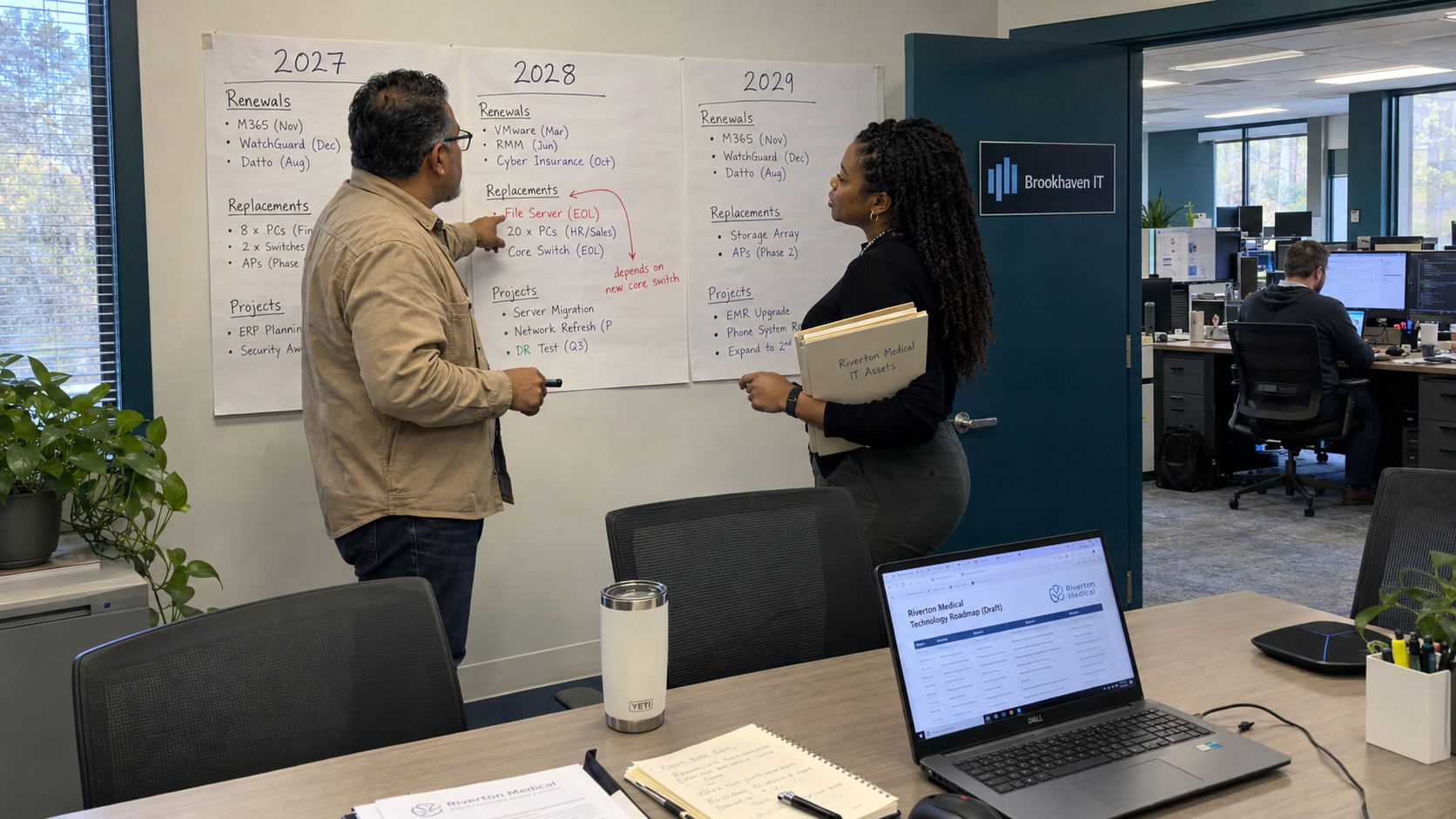
An IT roadmap template should leave your client with an ordered list of decisions, an indicative budget, and a named owner for the next action. Prepare the technical and commercial inputs before the meeting, then use the conversation to agree priorities. A project entered in a planning year is still a proposal until the client approves its scope and spending.
I'd cut the product catalog from the opening. Before the change, the client sees equipment your MSP could sell. After it, the client can see what needs attention, why the timing matters, and what must happen before money is committed.
Prepare the Inputs Before the Meeting
Gather the installed asset record, relevant support and renewal dates, existing commitments, unresolved technical work, and proposed business changes. Verify dates against the current agreement or supplier record. Mark uncertain items for investigation rather than inventing a replacement deadline.
Ask the client about changes that could affect the plan, including locations, staffing, applications, and responsibilities. Keep confirmed decisions separate from ideas. That distinction helps you identify what needs a budget now and what needs further discussion.
The MSP Outpost model separates the technical alignment manager's standards and environment work from the vCIO's business conversation and budget. Use the technical review as input to the meeting. Don't require the client to turn an equipment report into a business plan without your help.
Erick Simpson, in a practitioner operating account, describes checking with the desk before a client review so he knows about issues requiring attention. I'd use that check to decide whether an unresolved service problem needs discussion before the planned roadmap conversation. Selling a future project doesn't resolve the current ticket.
Use Rows That Support a Decision
Build the template around work the client can understand and act on. Keep detailed specifications available as supporting records rather than spreading them across the main planning view. A row should explain the proposed change and the decision needed to move it forward.
| Roadmap Field | What to Record |
|---|---|
| Business need | The outcome or operating requirement the change addresses |
| Current position | Relevant environment, commitment, or gap, with its source |
| Proposed work | Renewal, replacement, remediation, or project scope to investigate |
| Planning period | Year and narrower timing where there is a justified deadline |
| Budget estimate | Current estimate, date checked, assumptions, and confidence |
| Dependency | Approval, information, or preceding work required |
| Decision and owner | Approved, proposed, deferred, or awaiting information; responsible person |
| Next action | Specific follow-up and the date or condition that triggers it |
Keep renewals, replacements, and business projects distinguishable. A renewal might preserve a current service, while a project changes how the business works. They can compete for the same budget without representing the same decision.
Include relevant technology spending outside your invoice. In a practitioner account, Stuart Holtby describes a client wanting to discuss its broader spending, including business software, hosting, and phones. Use the client's actual records to establish that wider picture rather than assuming your managed fee is the whole budget.
Place Work Across the Planning Horizon
For a three-year plan, start with dates and dependencies that are already known. Place items with confirmed deadlines first, then discuss the sequence of work without a fixed date. Describe the reason for timing so a later reviewer can tell whether it remains valid.
Erick Simpson's replacement-planning suggestion is to map legacy-device work by quarter, prioritize the greater risks, and revisit agreed milestones with the client. Apply that as a planning method where the supporting assessment justifies it. It doesn't establish a universal replacement age for every device.
Say a client's proposed office move depends on a lease decision that hasn't been made. Put the move-related technology work in the relevant planning year, record the lease decision as a dependency, and assign the client an owner for that decision. Keep the implementation date provisional until the dependency is settled.
A routine renewal with a verified notice date belongs in the same view, with its own decision and estimate. The client can then see when keeping the present service competes with changing the environment. A calendar entry alone doesn't mean either item is funded.
Show Estimates Without Pretending They Are Quotes
Use current supplier information and scoped delivery assumptions to build the budget. Record the date of the estimate, what it includes, and what still needs checking. Keep implementation work and changes to recurring charges visible as separate components.
Erick Simpson's budgeting advice recommends telling clients that future-forecast prices are current as of the discussion and may change. He also recommends keeping them informed when an upgrade's cost changes. That gives the estimate a useful status without presenting it as a fixed future quote.
Don't fill an uncertain year with a precise amount just to complete the spreadsheet. State what information is missing and who will obtain it. If you provide an estimate range, derive it from actual options or scoped uncertainty and preserve that basis.
Have the client distinguish budget provision from purchase approval. Then put the agreed status in the row. The MSP shouldn't schedule delivery against a tentative planning amount, and the client should know what further approval you need.
End the Meeting With Decisions and Unresolved Work
Review the immediate items against the client's priorities and available budget. Confirm what is approved for further scoping, what can proceed under an accepted proposal, and what is deferred. Record the consequence the client considered when deferring work without turning the note into a guaranteed prediction.
Keep the model's included security baseline visible: endpoint protection, MFA, awareness training, and email protection are in every plan. If an existing included commitment is incomplete, assign that correction. Don't disguise unfinished baseline work as a new optional roadmap purchase.
Before ending the meeting, read back the next action and owner for each unresolved item. Agree how the client will provide missing information and how changed estimates will return for review. A meeting can produce a useful working plan without settling every future purchase.
Fund the Work of Keeping It Current
The model allows 3 hours per client per month for vCIO work, including the quarterly business review. Its workload assumption includes 5 hours a quarter for that review. Those figures are planning inputs that include preparation and follow-up, not a meeting-length target or extra hours to add together.
Keep roadmap upkeep inside the actual role plan. Record preparation, client discussion, estimate updates, and follow-up effort. If that work doesn't fit, investigate missing inputs or scope before assuming a more attractive template will create capacity.
Update the plan when business priorities, technical findings, contracts, or costs change. Preserve the reason for moving an item and its earlier decision status. That history lets the client understand what changed instead of receiving a new project list with no explanation.
Start with a client's known renewals, required replacements, and confirmed business plans. Fill the template from verified records, use the meeting to settle priorities, and leave each open decision with an owner. The next useful output is a current plan the client can fund and your team can deliver.

mspoutpost.com/articles/an-it-roadmap-template-for-a-client-s-three-year-plan
Written by Owen Gallagher
MSP Outpost publishes information, not legal, financial, insurance, tax or compliance advice, and reading it creates no professional relationship. For decisions about your business, talk to a qualified professional.