
Assign six duties for each leaver. Your IT offboarding checklist needs a person checking the result, as well as people making the changes. Set the authorized effective time and list the access paths in scope. At that time, report which paths are confirmed closed and who owns anything still unconfirmed.
I'd settle the client's instructions before giving the technician a list of actions. Ending access and deleting data are different decisions. The service desk should execute an authorized plan, with a named client contact available when an instruction is missing.
Confirm the Person and the Effective Time
Use the client's agreed request route and verify that the submitter can authorize the work. Confirm the departing person's identity against the actual accounts. Keep sensitive employment details available only to the people who need them for the task.
Record the effective date and time clearly enough that the team can schedule the work. Identify the client contact who can resolve an urgent question. For an immediate departure, use the agreed urgent route and establish who is available to act.
Have the request owner check coverage against that instruction. If a required action cannot be confirmed by the effective time, make the gap visible and escalate it to the responsible person. Don't let an unavailable application administrator disappear behind a general ticket status.
The client also needs to name who decides what happens to the data. That authority may differ from the person approving the departure. Get the equipment-return contact at the same time so the technician doesn't end up inventing a collection plan.
Check Every Recorded Route Into the Environment
Build the access task list from the current records, then check it with the client's authorized contact. Include applications the client manages outside your scope. Give those actions a client-side owner rather than marking them done because the MSP can't reach the system.
Use a maintained procedure for each system you manage. The technical owner checks current vendor guidance and the actual configuration, including how the approved action treats existing sessions. Record the observed result instead of assuming that an account change in the main identity system covers every other route.
The model calls for a standard technology stack and training every technician on it. Use that shared method with documented exceptions for the client. A familiar procedure still needs the correct user and the correct environment.
Review shared access the person was authorized to use. Have the technical owner identify the required changes and any dependency on that access. Check the effect on other users and services before a shared credential change becomes an unexplained interruption.
Keep Data Decisions Separate From Access Removal
Ask the authorized client owner for the treatment of business information associated with the departing person. Confirm who should receive access to what. An instruction to stop a user's access doesn't authorize a blanket deletion or a transfer to whoever submitted the ticket.
Record any preservation or retention instruction from the client and its advisers before changing the affected data. Use the applicable vendor procedure and check its prerequisites before altering the account or its licenses. Put an unanswered decision back to the named client owner.
If a security investigation is involved, have the incident owner coordinate the device treatment. Oli Thordarson warns in a podcast discussion that immediate blanket rebuilding can destroy information responders need to investigate an incident. Keep that as his recovery warning, and leave preservation decisions with the people leading the response.
Cut frictionless offboarding from the update. State which data decision is open and what action waits for it. That gives the client something to resolve without confusing it with access already confirmed closed.
Track the Equipment Through to Receipt
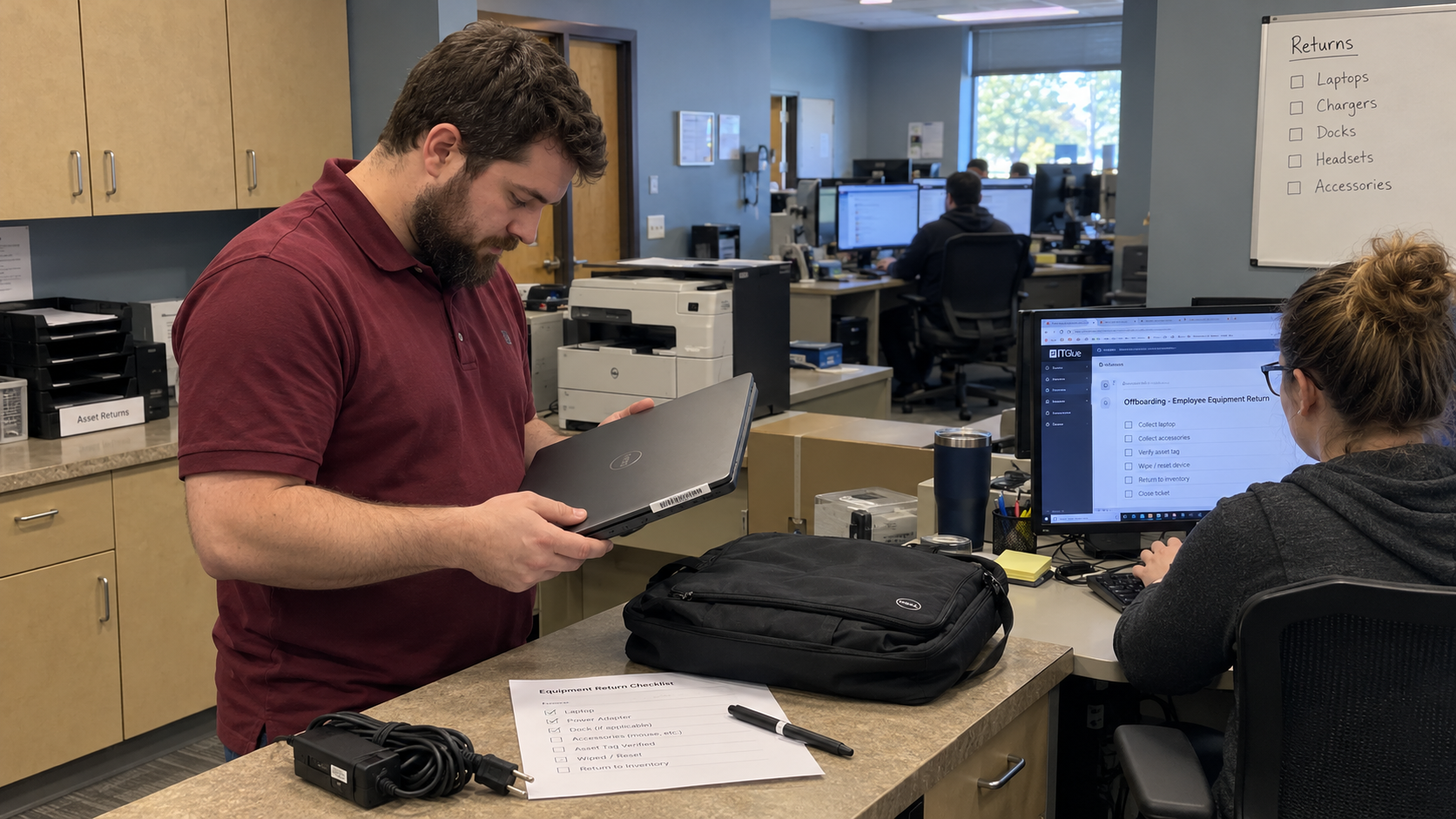
Check the asset record for equipment assigned to the leaver. Agree who collects it and where it goes. Have the receiving person confirm what arrived and its condition, with anything missing kept on a follow-up task.
Keep physical receipt separate from the access result. A returned laptop doesn't prove every application account was addressed. An account task marked complete doesn't establish that the laptop has arrived.
Record the approved treatment before the device is reused or cleared. If the client hasn't decided, give the outstanding decision an owner and keep the device under the agreed handling process. Don't make wiping the automatic action on receipt.
Picture a scheduled leaver whose managed accounts have been addressed while a client-run application and the laptop return remain open. Report each result separately. The client's application owner and the equipment collector need their own next actions.
Assign the Checklist and the Commercial Work
Put a person's name beside each duty below. Someone can hold several duties, but the request still needs evidence for each one. Keep unresolved actions on the board until the responsible person has accepted them.
| Duty | Who Owns It | What They Check |
|---|---|---|
| Authorized Request | The request owner | The identity, approved scope, effective time, and unresolved client instructions. |
| Access Changes | The technical owner | The action and verified result for each access path in scope. |
| Data Treatment | The client’s authorized data owner | The preservation or handover decision and any action awaiting it. |
| Equipment Return | The asset owner | The items received, their condition, and assigned follow-up for missing equipment. |
| Agreement and Tool Updates | The accounts owner | The approved effective dates and updates requiring separate processing. |
| Final Reconciliation | The named reviewer | The results against the full request, with a clear status for everything still open. |
Allan Michelmore describes an onboarding and offboarding workflow with a task checklist and a child ticket for accounts. His accounts task covers agreement changes and tools without direct PSA integration. It's a consultant's workflow account, and a useful prompt to give commercial work its own assignee.
Have the accounts owner confirm the approved changes and their effective dates. Check supplier commitments separately rather than assuming removal of a user immediately reduces every charge. Keep that work visible without letting an open billing task obscure the status of access.
Have the request owner confirm that the assigned people accepted the work. A task passed to an unattended queue isn't a completed handoff. The reviewer needs to know who is carrying the remaining action.
Verify the Result Before Closing the Request
The reviewer reconciles the recorded results with the original instruction. For each system in scope, they should be able to find who acted and what was verified. Anything unconfirmed needs a specific next owner and a status the client can understand.
A box marked Done is a very short handover. Keep enough detail that another authorized technician can continue the work. The record should distinguish a completed action from an assumption awaiting confirmation.
My test is: what does this do to the board on Monday morning? For the hypothetical Friday leaver, the board should show confirmed access work alongside the still-open client application action and equipment return. Each open item needs its named owner, so the next shift can follow up without asking who remembers Friday.
Review a recent leaver request for instructions the technician had to chase. Add missing systems to the maintained inventory and missing client decisions to the request form. Have the client agree the revised process before the next departure, then make the resulting status something the reviewer can verify.

mspoutpost.com/articles/build-an-it-offboarding-checklist-with-verified-owners
Written by Megan Friesen
MSP Outpost publishes information, not legal, financial, insurance, tax or compliance advice, and reading it creates no professional relationship. For decisions about your business, talk to a qualified professional.