
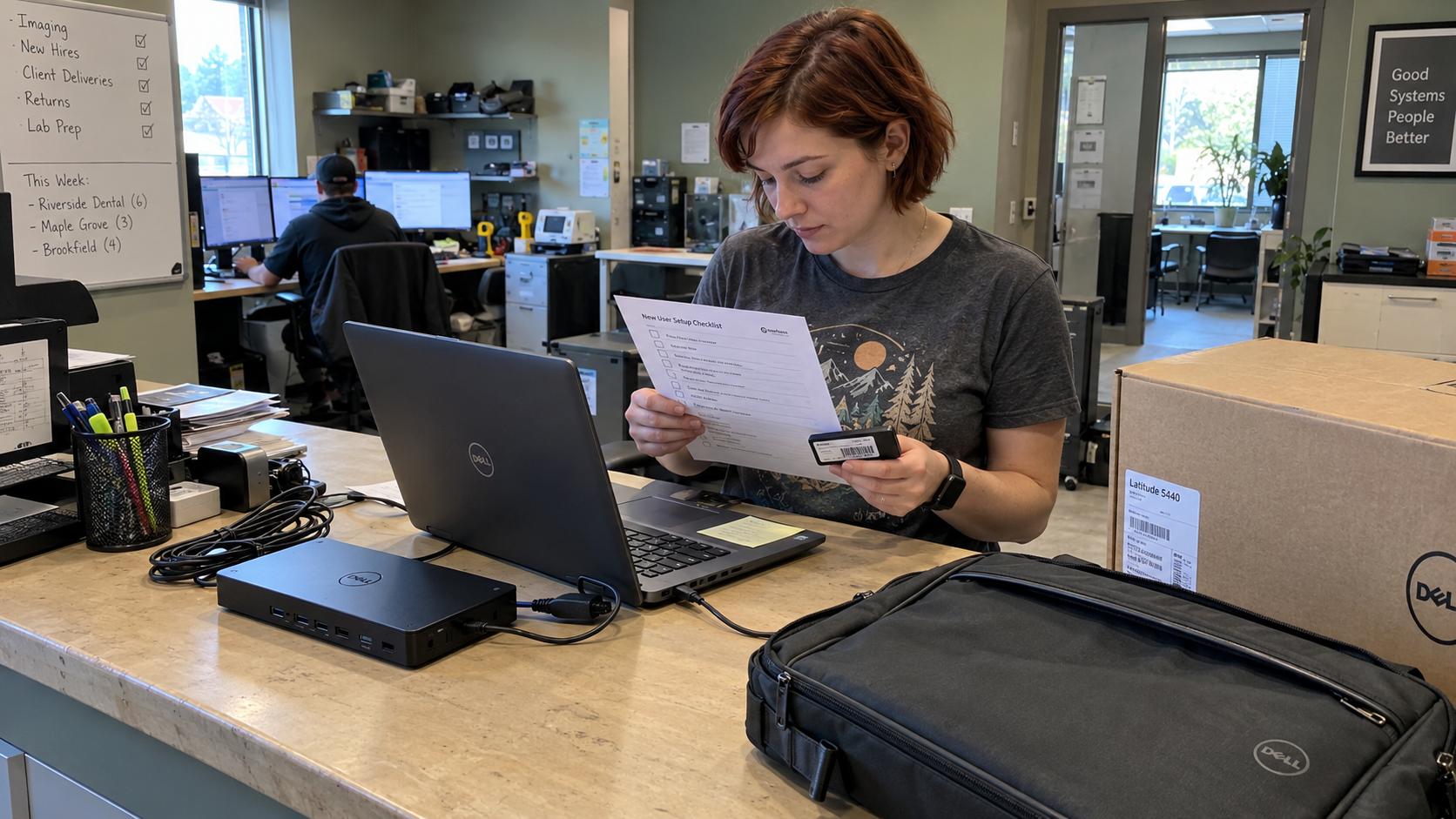
Put five timestamps on each new-user request. Your IT onboarding checklist should show where the work waited, as well as what the technician completed. Give the request a named owner who can report actual readiness. A device can be ready while the client's application approval is still open.
I'd standardize the request before promising a setup time. Agree what the client can authorize in advance and what needs a fresh decision. Then use the same task list for each starter, with the client's approved choices attached.
Collect the Decisions Before the Technician Starts
Use the request route agreed with the client and check the submitter's authority. Confirm the starter's identity and intended start with the client's named contact. A completed form can still contain a misspelled name or an incorrect phone number.
Ask what work the person needs to perform. Tie the requested access to an approved role or a decision from the relevant resource owner. Give the request owner a way to send incomplete details back to the person who can correct them.
Tas Gray describes using a portal with forms and automated processing for standard user requests. Nick Clift points out that submitted names and phone numbers can be wrong. That's their operating account, and a useful reason to keep input checks alongside the form.
Don't make a colleague's account the permission specification. Dave isn't a job role. Use the client's approved access pattern and record any differences with the person who authorized them.
The MSP model calls for a standard technology stack and training every technician on it. Build your setup instructions around that stack. Shared technical instructions don't mean every client's users receive the same permissions.
Agree Which Choices Can Stand
Ask the client to approve its usual new-user choices and name who keeps them current. Confirm whether that record authorizes the recurring purchase or merely describes the normal recommendation. A saved list doesn't grant spending authority by itself.
On Paul Green's podcast, a guest using the pseudonym Jason describes repeated license questions and sign-off delaying a starter. He would prefer an agreed record of the usual choices. The host adds that another client may want to approve every addition.
Record which arrangement this client wants. Make a fresh approval task appear when the request falls outside it. The technician should see an actual decision, rather than having to guess whether the last similar request established a rule.
Cut seamless onboarding from the status update. Say which approval is missing and what it prevents. The person who can make that decision needs a specific request, not another assurance that everyone is working on it.
Give Each Part of the Checklist a Named Owner
Use the checklist below as a starting assignment of duties. At a small MSP, someone may hold several of them. Put an actual name beside each task so a colleague can take over without reconstructing the request.
| Checklist Duty | Named Owner | Evidence Before It Is Marked Done |
|---|---|---|
| Request Check | The request owner | The authorized request is complete and open decisions have an assigned approver. |
| Account and Application Setup | The assigned technician | The approved configuration and access checks are recorded. |
| Device Preparation | The device technician | The assigned asset is ready and its delivery or collection is confirmed. |
| Client Decisions | The client approver or relevant resource owner | Required license and permission decisions are recorded against the request. |
| Agreement and Product Updates | The accounts or agreement owner | The effective date and required commercial updates are confirmed. |
| Testing and Welcome Handover | The request owner | The tested readiness and any unresolved work have been communicated. |
Keep the task evidence with the request. Don't rely on a private message to explain why access differs from the standard. A technician covering an absence needs to know what was authorized and what remains to be done.
PSA consultant Allan Michelmore describes user onboarding and offboarding tasks with a child ticket for accounts. His account includes agreement updates and tools that don't integrate directly with the PSA. Check those systems explicitly rather than assuming the technical task updated everything.
Use that separation where it fits your workflow. The accounts task needs a responsible person and an effective date, even when another person performs the technical setup. Keep the commercial change tied to the authorized request.
Test Readiness With the User Handover in Mind
Check the actual setup against the approved work. Record the result of testing the access the starter needs. A successful account-creation message doesn't establish that the person can use the agreed application.
The model includes MFA in baseline security for every plan. Make the approved sign-in and enrollment procedure part of the setup and handover. Arrange user participation where the procedure requires it, instead of marking that work complete before the person is available.
Use the approved method for sensitive access instructions. Keep secrets out of a general welcome email or ordinary task comments. Tell the user how to reach your support team and what help is arranged for the initial setup.
Picture a starter whose laptop is prepared while a resource owner hasn't approved the business application. The device technician can complete the device task. The request owner keeps the application decision open and reports the resulting limit on readiness.
Don't close the whole request to make that partial result look complete. Name the next approver and the follow-up action. If the client accepts a partial start, record that decision and what the person can actually do.
Send a Welcome Message That Matches the Result
Give the new user practical starting instructions using the client's agreed route. Tell them where the equipment is and how to get help. Include any arranged assistance without suggesting that unresolved access already works.
Send the client's manager a status they can act on. State the completed work and identify the outstanding decision with its effect on the starter. Put the follow-up owner beside it so the manager knows who is waiting for whom.
Have the accounts owner confirm the agreement treatment before closing their task. Added products may need updates in a system outside the PSA. The invoice should follow the approved commercial record, rather than an assumption based on the device count.
Read the Waiting Time Beside the Labor Time
Use five timestamps to make the request's progress visible. Record them consistently so the service lead can distinguish technical work from a request waiting for decisions.
- Record when the request arrives.
- Record when it is complete and authorized.
- Record when technical work starts.
- Record when technical work finishes.
- Record when the user handover happens.
Keep technician labor entries beside those events. Elapsed time between events isn't automatically labor time. A request can wait for a license decision without consuming continuous technician effort.
Have the service lead review the delayed requests and name the actual cause. Fix the form where missing information caused another round of questions. Fix the approval route where a complete request waited for someone who didn't know it was theirs.
My test for the change is: what does this do to the board on Monday morning? In the partial-start example, the board should show the device task complete and the application decision waiting on its named approver. The request owner should be able to explain readiness without asking the device technician to remember the conversation.
Start with a recent request that stalled. Add its missing decision to the form and assign the person who can resolve it. Check the next requests on the same basis before making a faster setup promise.

mspoutpost.com/articles/build-an-it-onboarding-checklist-for-each-new-user
Written by Megan Friesen
MSP Outpost publishes information, not legal, financial, insurance, tax or compliance advice, and reading it creates no professional relationship. For decisions about your business, talk to a qualified professional.