
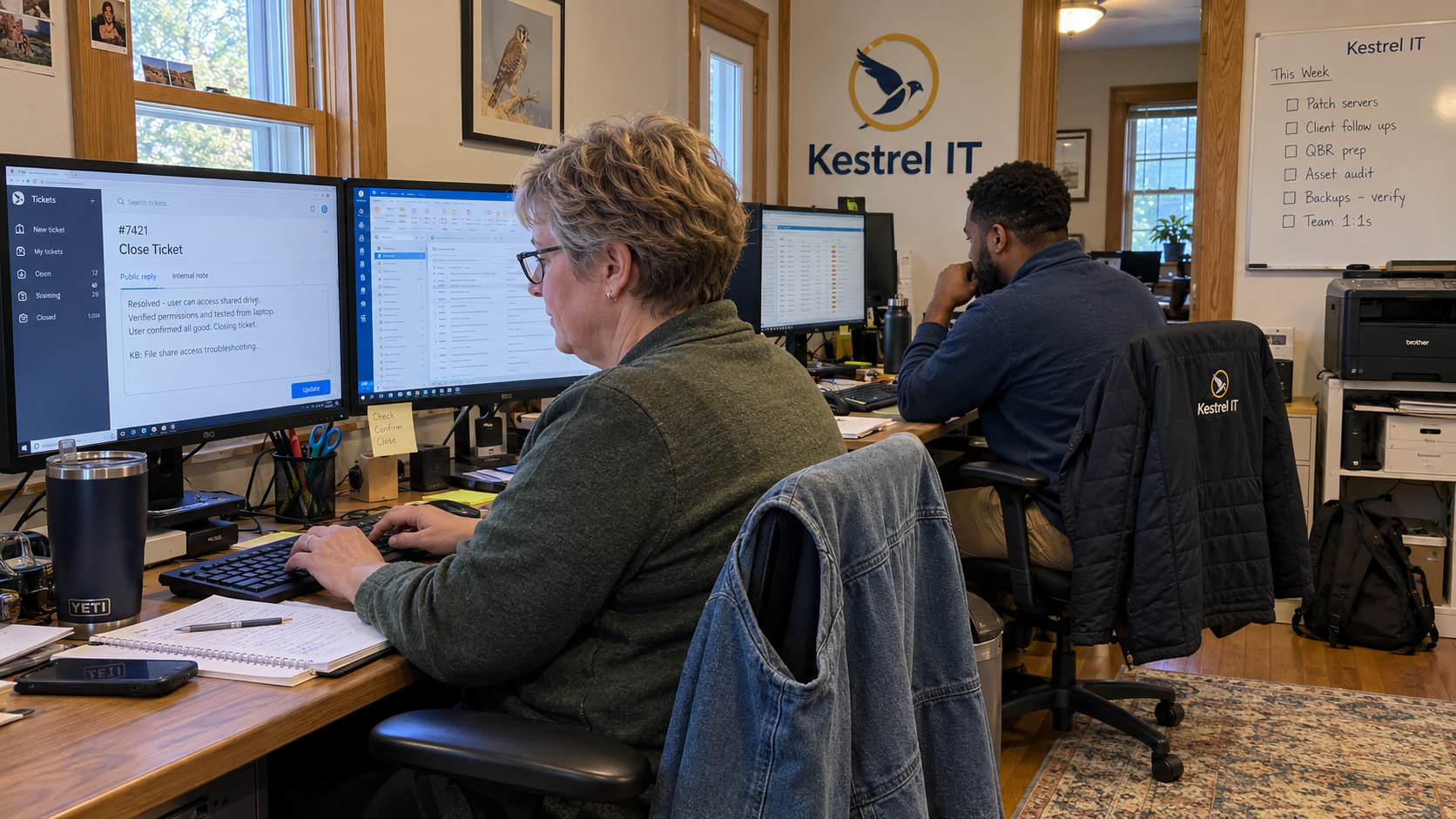
My version of IT ticket documentation best practices starts with four fields: request, action, check, and next step. The technician fills them in before closing the ticket. Each field should help the next person understand the work or pick up something that remains open.
Here's my Monday-board test: can another technician read the closing note and find the result and the next owner without calling its author? If the record can't answer that, it isn't ready for a handoff. Start with the missing information, then correct the note.
Write the Result Before You Close the Ticket
Record the client's actual request and the affected user or asset. If the task changed while the technician investigated, record the agreed change too. A successful test of something else doesn't establish that the original request was resolved.
Describe the relevant work and what you checked afterward. A closed status tells the desk where the ticket sits in a workflow. The note should explain the result that supports that status.
Keep remaining work visible. Where the original problem remains unresolved, follow the desk's process for its status and next action. Where a separate issue needs investigation, link that work and identify its owner before this ticket leaves the queue.
Put the Closing Fields in the Ticket
Use the place where technicians already record their work. I'd keep the closing summary short enough to read during a handoff, with supporting records linked beside it. A thumbs-up isn't much of a troubleshooting manual.
| Field | Technician Records | Lead Checks |
|---|---|---|
| Request | The reported symptom or required outcome, with the affected client, user, or asset. | The recorded result answers the scope the client actually raised. |
| Action | The relevant investigation, approved change, and procedure used. | A colleague can follow what happened without guessing at the work. |
| Check | The test, its observed result, and any client confirmation. | The note distinguishes a technical check from a client response. |
| Next Step | Linked outstanding work, any accepted exception, and its named owner. | Every remaining action has a place and someone responsible for it. |
Link detailed logs and procedures where they help explain the outcome. Don't bury the final result in a pasted transcript, or reproduce a whole procedure that already has a maintained home. Identify the relevant action and the part of the supporting record the next technician needs.
Keep secrets out of the note. Point authorized colleagues toward the approved access process instead of copying a password or token. Before sending the summary, check what belongs in the internal record and what the client should receive.
Write a Note That Matches the Work
Picture a hypothetical user who can't print from their usual application. The technician reapplies the approved printer configuration, then tests printing from that application with the user. A closing note could read like this.
- Request: the identified user couldn't print from the reported application on the recorded laptop.
- Action: reapplied the approved printer configuration; the relevant procedure is linked in the work record.
- Check: printing from that application succeeded after the change, and the user confirmed that the reported task worked.
- Next step: the linked investigation into repeated configuration changes remains with its named owner.
That check supports the result for the application and laptop tested. It doesn't show that every device can print or that the repeat configuration problem has gone away. Keep the remaining investigation visible rather than expanding the successful test into a larger claim.
Replace the example with the actual details when you use the template. A failed check needs its failed result and next action. A required field is a prompt to record what happened, not permission to copy a successful outcome.
Record Client Confirmation Separately
A technician can complete a technical check while still waiting for the user to reply. Write down both states. An unanswered message doesn't confirm that the user's problem is resolved.
Nick questions repeated unanswered calls made just to close a service ticket and suggests another contact method. In the same discussion, Nicky Miklós proposes varying communication methods, while Jeni Clift recalls asking new clients how they prefer to communicate. Those are practitioner suggestions to consider alongside the communication arrangements you've agreed with the client.
Use those arrangements and your desk's closure process. Record the attempts and any response you receive. Where the process permits closure without client confirmation, say that plainly; don't turn an absent reply into a claim that the user verified the fix.
Assign Each Closure Check
Don't call this documentation excellence. Give the technician a record they can finish and the lead a standard they can inspect. I'd assign the checks like this.
- The technician completes the request, action, check, and remaining work against the correct ticket.
- The technician records the time and supporting links without counting the same work twice.
- The owner of remaining work accepts the linked task or escalation.
- The desk lead checks selected closing records and names the exact missing information when returning one.
- The documentation owner reviews a repeatable fix before publishing it as shared guidance.
Keep the ticket's job distinct from the knowledge base's job. This record explains the work for this client. A reusable procedure also needs its scope, technical review, and maintenance owner before other technicians rely on it.
The model calls for a standard technology stack and training every technician on it. Make the closing standard part of that teaching. Show a completed record, have the technician write one from actual work, and check the result together.
Inspect a Sample You Can Act On
Use the regular board review to examine selected closures. Choose records that help test the standard, including repeat issues, handoffs, changes, and exceptions. Let your own workload and risk decide the sample; don't invent a quota to make the check look thorough.
Name the defect before assigning the correction. Missing investigation detail needs a different response from an unsupported claim that the problem was fixed. If the template caused the ambiguity, correct it and show the desk the change.
Return a specific question to the person who can answer it. Keep the correction traceable in the record. Searching unrelated tickets for a score won't supply the missing result in the ticket you're checking.
Use the Handoff to Test the Standard
When work reopens or moves to a colleague, check what that person needed from the closing note. A reopening alone doesn't establish poor documentation. The issue may be new, or the conditions may have changed since the original test.
Use an actual missing detail to improve the template or training. The model's position is to fix service delivery before adding clients. Closing records give the current desk something concrete to inspect and correct.
Pick a closed ticket that needed a handoff. Read it as the receiving technician, then ask the person who did the work to supply anything the record leaves unanswered. Keep the fields that help the next person understand the result and take responsibility for what remains.

mspoutpost.com/articles/it-ticket-documentation-best-practices-for-a-clear-close
Written by Megan Friesen
MSP Outpost publishes information, not legal, financial, insurance, tax or compliance advice, and reading it creates no professional relationship. For decisions about your business, talk to a qualified professional.