
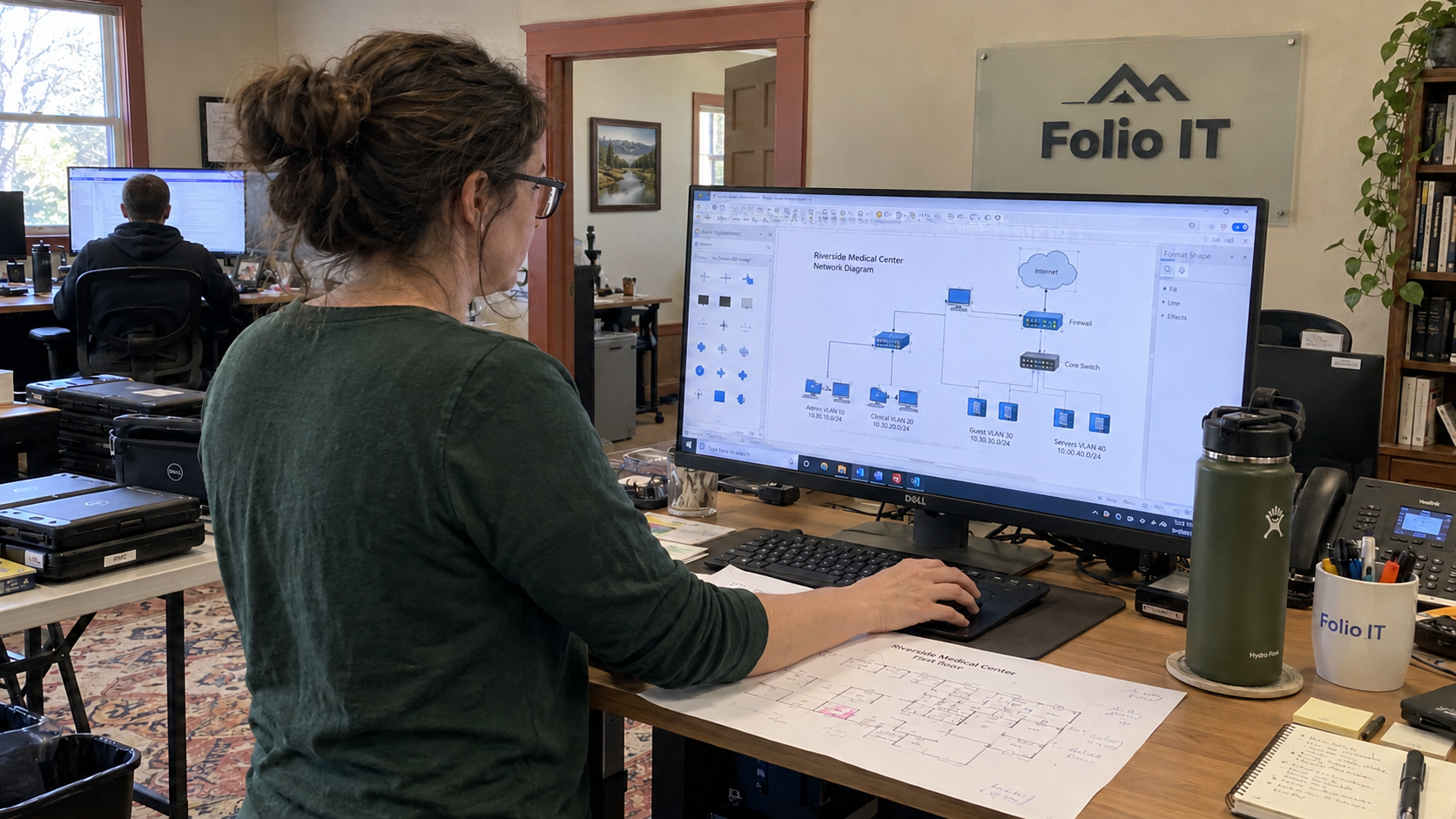
The model plans one centralized resource per 5,000 endpoints. That person has operating work besides drawing networks. Network documentation best practices start with a common record that the person making a change can update, then require a check that the diagram still matches the site.
Can the assigned technician find the right device and its connection without asking who last visited? If the record doesn't support that next step, assign the missing verification instead of treating the diagram as complete.
Use the Same Method Without Inventing the Same Network
The model favors a standard technology stack and training technicians on it. Use the same discipline for the way your MSP records a network. A common template should make different client environments easier to inspect, not conceal the ways they differ.
Write the authoring instructions before distributing the template. Jeff Loehr proposes an SOP for creating SOPs, while Erick Simpson describes teaching a common method with naming conventions and worked examples. Their practitioner discussion supports teaching staff how to produce a usable record rather than simply asking for documentation.
I'd remove 'documentation excellence' from the acceptance checklist. Ask whether the named reviewer can follow the record from the client site to the device being changed. That's a check someone can perform.
Keep confirmed information distinct from unknowns. If you haven't verified an uplink, label it as unverified and assign the check. A diagram shouldn't turn a plausible guess into the next technician's instruction.
Give Each Device a Stable Name and Record
Adopt a naming pattern that identifies the client and site, followed by the device role and its unique identifier. A proposed pattern is CLIENT-SITE-ROLE-ID. Define the meaning of each part and check the target platform's naming constraints before applying it.
Keep the role label meaningful across clients. Don't let the same abbreviation mean a firewall in one record and a file server in another. Put the permitted abbreviations and an example in the authoring guide so a new technician can use them without guessing.
Store the device's serial number and its current management address alongside the stable identity. Those fields let the record survive an address change or a replacement. Preserve the former identifier when you replace equipment so older tickets can still be understood.
Document an inherited name before deciding whether to rename the live device. Changing the name or address is operational work with its own approval and verification. A documentation cleanup isn't permission to alter the client's production network.
Use Diagram Views That Answer the Support Question
Keep the diagram connected to the device records. Label the site and identify the current version, with the change that produced it. The technician should be able to tell which evidence the view represents.
| Diagram View | What It Should Let the Technician Establish |
|---|---|
| Physical connections | Where equipment is located and which labeled interfaces connect it |
| Logical network | Which networks serve the stated purposes and where routing or filtering separates them |
| External connections | Which circuit or other external service connects the site, with the responsible supplier record |
Use separate views when putting everything on a page makes the connections unreadable. Keep the same device identifiers in each view. A label that changes between the physical and logical diagrams creates another identification job during support.
CIS Controls v8.1 places secure network architecture under Safeguard 12.2, addressing segmentation and least privilege alongside availability. That requirement concerns the architecture, not the artistic quality of the drawing. Use your diagram to make the intended boundaries inspectable, then verify the actual configuration separately.
A switch drawn neatly beside a firewall hasn't explained which traffic is allowed between the networks. Reference the approved configuration and the purpose of the boundary. Don't put passwords into the picture to make the record appear self-contained.
Keep the Address Plan With the Site Record
Create an address record before approving a new network. Check the networks it may need to connect to for overlaps. Use the observed and approved configuration to populate the record rather than assuming every inherited site follows the new template.
| Address Record Field | What to Enter |
|---|---|
| Site and network purpose | The client site and the work this network supports |
| Network and prefix | The allocated address network and its defined size |
| Gateway and routing | The gateway interface and reference to the relevant routing configuration |
| Dynamic allocation | The DHCP scope and exclusions, with the system responsible for providing them |
| Fixed assignments | The reserved or static assignments and the device records they identify |
| Segmentation reference | The VLAN or other network identifier and the intended access boundary |
| Approval and evidence | Who approved the allocation, the source checked, and the related change record |
Keep the address plan and the device list connected so a change doesn't need copying into unrelated spreadsheets. If a tool discovers an address, check what the discovery actually establishes. A detected device doesn't supply the reason its network exists or the approval for its access.
If existing addressing doesn't fit the preferred scheme, record the exception and the operational consequence. Plan a separate change where correction is justified. Renumbering for the sake of a tidier document needs a better reason than matching the spreadsheet.
Make Documentation Part of the Change
Assign the update to the person responsible for the network change. They should update the affected device record and diagram as part of completing the work. Keep the previous version available under the normal access controls so the next reviewer can understand what changed.
CIS Safeguard 4.2 calls for a documented secure configuration process for network devices, with review at least annually. Keep that configuration process linked to the documentation method. Its stated review interval doesn't remove the need to record an actual change when it happens.
Use this ownership checklist for an accepted change:
- Network lead: accepts the naming and address plan, including any inherited exception.
- Change technician: records the actual connections and configuration evidence after the approved work.
- Change technician: updates the device records and affected diagram views.
- Reviewer: follows the record and checks the changed details against available evidence.
- Desk lead: keeps any missing verification as assigned work instead of closing it as completed documentation.
A diagram last updated by 'someone' has excellent job security.
Check Usefulness Before Measuring Speed
Have a technician unfamiliar with the change use the updated record to locate the relevant device and its upstream connection. Ask them to identify anything they still need to verify. Record those gaps against the documentation task so they can be resolved by the right person.
Measure the time your team actually needs for an initial record and for a routine update. Separate that effort from time spent discovering undocumented physical work. Don't sell a standard drawing time as though remote records eliminate every need for a site visit.
The model's centralized-resource ratio includes ongoing patching and administration, with monitoring work that remains in-house. It isn't a dedicated documentation allowance. Put the actual authoring and review effort into the workload plan before assuming the role can absorb it.
Choose an upcoming network change and give its technician the naming guide and templates. Name the reviewer before the change closes. Use the gaps that reviewer finds to improve the method, then apply the same accepted record structure across the client sites.

mspoutpost.com/articles/network-documentation-best-practices-your-desk-can-use
Written by Megan Friesen
MSP Outpost publishes information, not legal, financial, insurance, tax or compliance advice, and reading it creates no professional relationship. For decisions about your business, talk to a qualified professional.