
Assume you combine two desks identical to the model's 700-seat US example. Each carries 3.2 full-time equivalents of ticket and alert work and staffs four technicians. Their combined 6.4 full-time equivalents round to seven people in a pooled calculation, compared with eight currently staffed. That arithmetic gives post merger integration a capacity question to investigate, not an automatic payroll saving.
A full-time equivalent expresses workload as the share of a full-time role needed to deliver it. I'd check the actual work before changing either desk's staffing or tools, then choose a common operating standard and test the handoffs. Keep the integration work in the plan alongside the client work it must not displace without a decision.
Reconcile the Work Before Adding the Queues
Use matching periods and definitions to compare the desks. A ticket count alone cannot establish their combined labor requirement. Inspect the effort behind the records and identify what each system has been counting.
The example's load assumes 0.5 tickets per seat per month for a well-run MSP; a typical MSP runs 1.0 to 1.4. If either acquired desk has a different actual workload, replace the assumption before using the combined capacity calculation. Don't let an acquisition spreadsheet quietly make the less familiar desk well-run.
I'd reconcile these inputs before approving the new work plan:
| Input | Comparison to Make |
|---|---|
| Client and service scope | Match the supported client list with the service obligations and hours actually covered. |
| Ticket labor | Compare recorded effort and resolution work on the same basis, including relevant work not captured in the ticket count. |
| Alerts | Identify automated resolution and remaining human work, separating duplicate records from distinct actions. |
| Available delivery time | Use the actual roles and duties when estimating productive capacity. |
| Integration work | Assign the migration and training effort separately so it has a place in the schedule. |
In the model, RMM automation performs the default NOC function and remaining alert work lands on the desk. Keep that work visible when assessing either operation. A tool license doesn't establish that the people handling its exceptions have disappeared from the cost base.
Choose the Operating Standard Before the Winning Tool
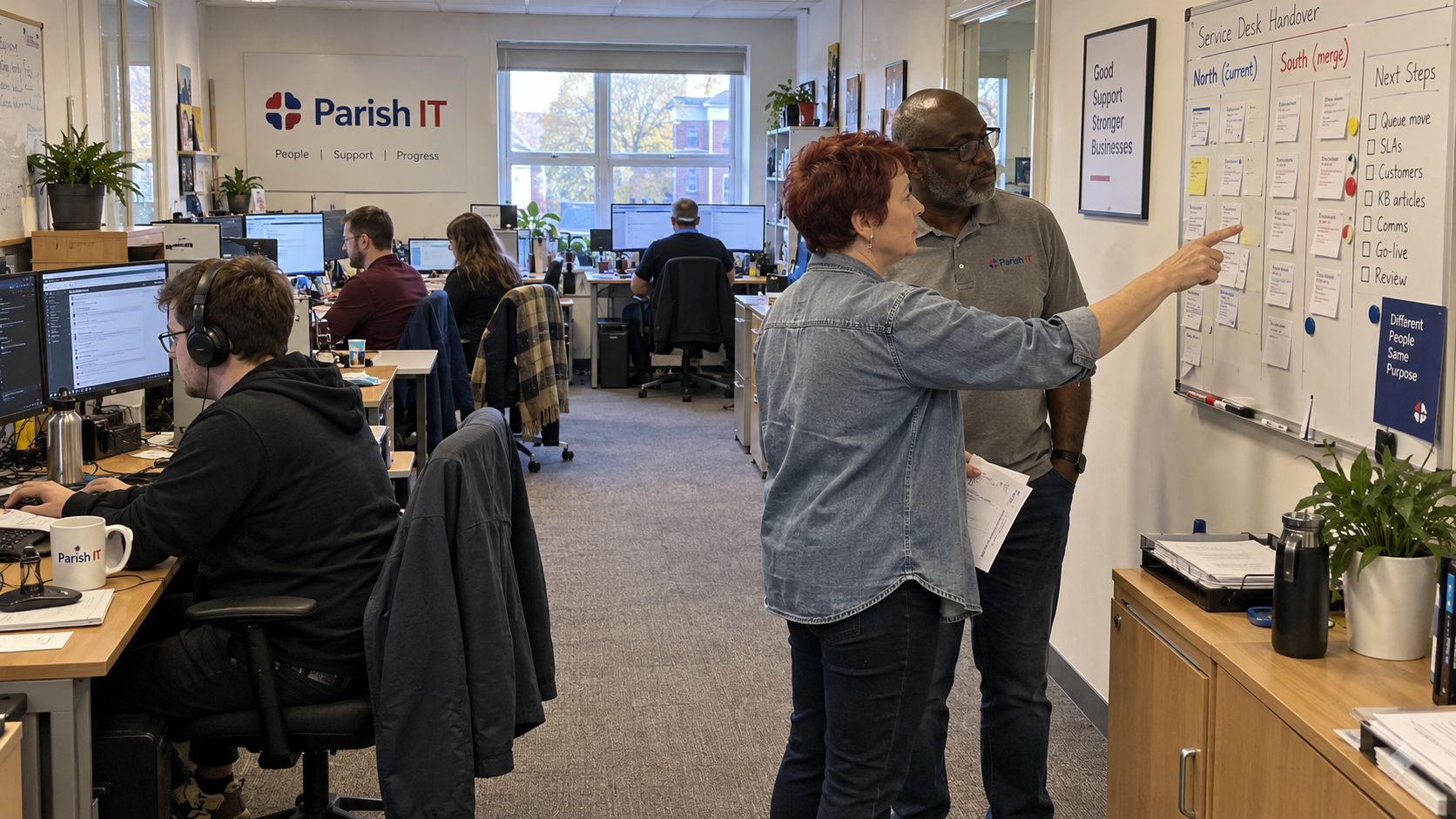
Define how the merged desk will assign and carry work before choosing a final queue. Keep the client commitments visible while the team agrees the internal process. A shared category name cannot change an existing service promise.
Have the delivery lead record who owns each live item and how work moves when the assigned person needs help. Agree how the desk distinguishes a real escalation from missing access or an incomplete handoff. Keep a named route for resolving conflicting assignments during the transition.
Mark Sowden recommends teaching company-specific desk standards and explaining their reasons across technical tiers, including experienced staff. That is his training advice. Apply it to both teams rather than treating familiarity with the buyer's PSA as evidence that someone understands the merged service.
The model calls for a standard stack with technicians trained on it. Make the intended standard a documented decision, then give exceptions an owner and a transition plan. The acquired team may hold useful practices worth preserving within that standard.
Select Tools Against the Work They Must Support
Compare the tools against the agreed process and the client scope. Have the technical owner establish what must transfer and what must remain available for reference. Include the effort and contractual commitments associated with each option in the decision.
Derik Belair recommends mapping stack tools to their functions and service offerings. He cautions that repeated switching can discard technician familiarity and efficiency. That is his vendor operating advice, and a reason to cost a move before treating consolidation as a saving.
I'd record the selected target and the reason beside the alternative. Distinguish a subscription you can actually end from a commitment you will still pay during overlap. A duplicate logo isn't a canceled invoice.
Keep client data boundaries and technician access in the target design. The ability to see both queues should not become unexplained access to every client. Have the responsible owner verify the intended assignments before broader use.
Test the Records and the Handoffs Before Moving the Desk
Choose a bounded set of representative work to test the transition. Include a case whose history matters and one that still requires an external response. Confirm what the target shows and who owns the next action before moving further work.
Keep the original reference and relevant history connected to transferred records. Check the agreed priority and timing information rather than allowing an import date to disguise how long the client has waited. Have the delivery lead reconcile open work across both systems.
Test the route from an incoming client request through assignment and resolution to any billing record it requires. Include failed transfers and ambiguous ownership in the exception record. A successful export is not acceptance of that whole route.
Have the project owner state what stops the move and how work continues if a test fails. Keep access to the necessary source records under the approved plan. The next stage needs a deliberate go-ahead after the relevant failures are resolved.
Keep the Integration Cost in the Capacity Plan
The opening calculation assumes both workloads can genuinely be pooled under the same capacity basis. Seven people is the mathematical rounding result, not a finding that the combined business has a spare employee. Training and the migration itself still require assigned time.
Test coverage and skills against the actual client work before changing the staffing plan. The model uses pooled dispatch through a lead for smaller desks, with a dedicated dispatcher only around ten desk technicians. It introduces service-management coverage around eight, so a merged team also needs its management duties examined on the chosen staffing structure.
Don't count the same person's hours as full ticket capacity and full integration capacity. Schedule the work or provide cover, then carry the actual cost into the plan. A reassigned salary is still an expense if the business continues to pay it.
Confirm the New Desk Can Carry the Service
Have the service lead reconcile the complete live-work list before accepting the merged operation. Check that clients can use the agreed support route and that the team knows who owns outstanding exceptions. Keep necessary client communication tied to an actual change in their service experience.
Close the transition tasks only when the relevant records and handoffs have been checked. Then review the actual workload and cost against the assumptions used to approve the merger plan. That is the point to investigate a capacity difference, with the integration effort visible beside ordinary delivery.
Start by reconciling the desks on the same workload basis. Use that comparison to agree the operating standard and the first bounded transition test. Let the verified work determine the next move in the queue and staffing plan.

mspoutpost.com/articles/post-merger-integration-combine-service-desks-from-the-work
Written by Graham Whitfield
MSP Outpost publishes information, not legal, financial, insurance, tax or compliance advice, and reading it creates no professional relationship. For decisions about your business, talk to a qualified professional.