
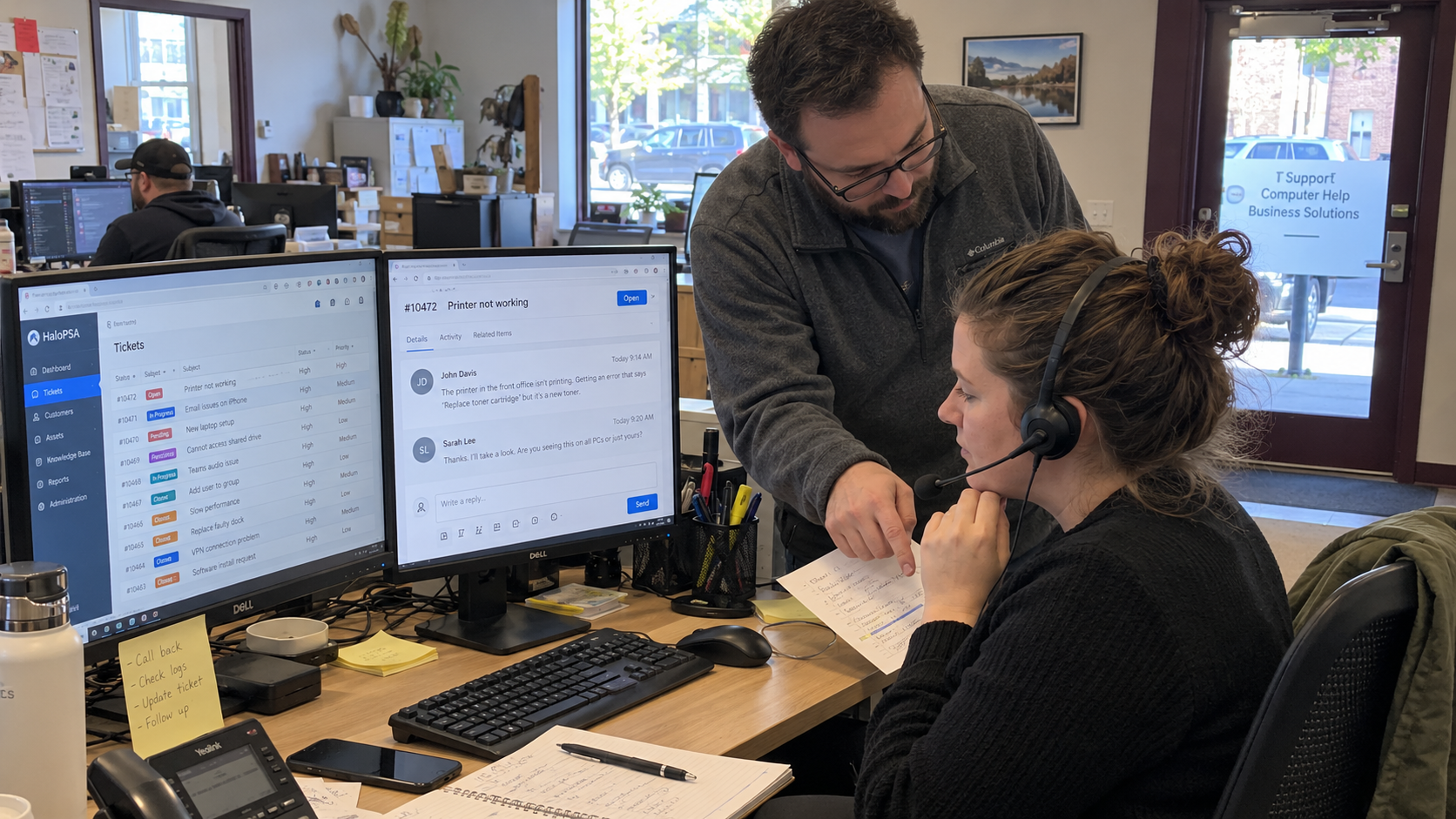
An omnichannel service desk still needs a working ticket for each request. Give email, phone, portal, and walk-ups a named person who gets the work onto the board. Tell clients when to expect a response.
The model's 700-seat example generates 350 tickets a month at a well-run rate of 0.5 tickets per seat. A typical MSP runs 1.0 to 1.4. Those are ticket-workload inputs, not counts of emails or calls. Keep channel contacts separate from distinct requests when you measure intake.
Accept the Channels You Can Actually Cover
List the routes you already tell clients to use. Record who watches each route, the coverage hours, how a request becomes a ticket, and what happens when the assigned person is unavailable. Include informal routes if the team is currently treating them as support intake.
In a podcast discussion, Ryan Spillane recommends channels the MSP can serve well, while Tas Gray says he would look for alternatives to email and phone if starting again. Aaron Smith emphasizes how the chosen clients work and why their preferences may require retaining those channels. Those are competing practitioner views, not a universal channel prescription.
Decide your arrangement with the client's working needs and your actual capacity in view. Choose the channels you can staff before adding new ones. Don't advertise a channel that no named person checks. If you stop accepting a route, give clients a clear replacement and handle the transition deliberately.
A walk-up or direct message needs a team rule too. Ask the person receiving it to create or connect the request to a ticket before treating it as assigned work. A conversation in the doorway is a particularly unreliable queue.
Give Each Route a Ticket-Creation Step
Use the same core information across routes: client and contact, what is needed, the effect on work, relevant timing, and a way to respond. Collect additional details when the task requires them. Don't make the intake form a substitute for clarifying an unclear request.
| Route | How the Request Reaches the Desk | Named Responsibility |
|---|---|---|
| Confirm delivery to the agreed support address and creation or linking of the ticket | Intake owner checks failures and unclear messages | |
| Phone | Find an existing request or create the record during the call | Call handler records the need and hands it to triage |
| Portal | Check the submitted details and the resulting ticket record | Intake owner reviews incomplete or unexpected submissions |
| Walk-Up | Create or link the ticket and record what was agreed | Receiving staff member makes the handoff visible |
Use the PSA features and integrations you have verified, rather than assuming every route is automatic. Test the failure cases as well as the successful submission. Give undelivered, rejected, or unclassified requests somewhere a person will actually check.
Have the lead confirm who owns triage after creation. A ticket identifier confirms a record exists. It doesn't establish that someone has reviewed the impact, accepted the assignment, or started work.
Keep the Same Request Together
Picture a user who emails, then calls because they aren't sure the email arrived. Have the call handler check for the existing request before opening another. Add the new information to the appropriate record and tell the user which ticket reference to use.
Don't merge records merely because the client or subject looks similar. Confirm that they concern the same request, preserve the relevant communication, and keep genuinely different work distinct. Give the team a clear correction route when something was linked incorrectly.
Keep replies and updates associated with the working ticket where your system supports it. If a conversation moves outside that route, the responsible technician records the useful result. The next person should be able to continue without searching another employee's personal inbox.
Track contacts as contacts and work items as work items. A change in channel use can alter the number of messages without changing the underlying workload. Don't call a reduction in duplicate records proof that the client needed less support.
Tell the Client What Receipt Means
Write the acknowledgment to match the service you provide. Explain that the request was received, which reference to use, and how review works under the agreed coverage. Give the approved urgent route without inventing a response promise the roster can't meet.
Keep that explanation consistent in the portal, phone guidance, email response, and client welcome material. If a route isn't watched outside staffed hours, say how the client should raise an urgent issue under their agreement. An automatic reply shouldn't imply a technician is currently working the ticket.
Priority still comes from your agreed service rules and the actual impact and urgency. Don't automatically lower a serious report because it arrived by email or upgrade ordinary work because the user called again. Clarify the situation and record the decision.
Provide a Route When the Usual One Is Unavailable
Ask the lead to test how intake works if a usual communication service is unavailable. Record where the team will see requests, who owns the alternative route, and how later records will be reconciled. Keep the fallback consistent with the client's support instructions.
Nick Clift describes ways to message affected clients or leadership groups during a shared-provider outage. He cautions against depending on email when email is affected. That's an operator's communication account, and a useful scenario to include in your intake check.
Have the assigned staff practice the fallback with the approved test process. Confirm that urgent information reaches the responsible person and that the resulting work is recorded. A spare phone number without someone assigned to answer it isn't coverage.
Measure the Work Before Adding Another Channel
Review request arrival, missing information, assignment, duplicated records, and missed commitments by route. Compare equivalent work rather than ranking channels from raw contact totals. A route handling more complex requests may need more follow-up for reasons unrelated to the channel itself.
If you're considering chat or another route, assign the initial coverage and measure the actual demand. Vendor and former operator Matt Linn suggests naming a technician while learning chat volume, then using observed work to plan capacity. That is rollout advice, not a promise that a new channel can share existing capacity without tradeoffs.
- The owner approves which channels are offered and the service expectations behind them.
- The intake lead names coverage and backups, then verifies that each route creates or connects the ticket.
- The receiving staff member records the contact and makes the handoff visible.
- The assigned technician keeps the working record current when communication changes routes.
- The service lead investigates missed requests, unclear ownership, and repeated record corrections, then assigns the fix.
Test a request through each accepted route with the team. Follow it from contact to record, triage, and ownership, including the unavailable-person case. Fix the handoff that depends on memory before offering clients another way to reach it.

mspoutpost.com/articles/run-an-omnichannel-service-desk-through-a-shared-queue
Written by Megan Friesen
MSP Outpost publishes information, not legal, financial, insurance, tax or compliance advice, and reading it creates no professional relationship. For decisions about your business, talk to a qualified professional.