Picture a 2am alert for a non-critical issue, the third one this week. Your tech answers it, resets a service, goes back to bed, and shows up Tuesday hollow-eyed. That's how on-call burns people out, and it's not the alert's fault. The fix is structure: a rotation with fixed pay, rest rules, and a double-rate client charge that keeps the team sane.
The plain answer: set a weekly stipend plus hourly pay for actual calls, publish the rules before you start, and make the economics work by charging clients more for after-hours. Say you run an 8-person MSP. You put one tech on call each week, pay them $200, add 1.5x hourly when they actually work, and route everything through a triage line so only real emergencies wake anyone.
The model assumes low to moderate after-hours volume, roughly under 10 calls a month. If you're supporting a 24/7 operation with alerts that need immediate action, this setup won't hold; that's a different beast and a different budget. But for most small MSPs, the rotation below keeps techs willing and your board clear.
Why on-Call Burns Out Techs (and What Works Instead)
On-call burnout isn't about the calls themselves. It's about unpredictability, no compensation for disruption, and rules that protect the business but not the person. When a tech is woken up for something that could have waited, and they get nothing for it, resentment builds fast.
What works instead is a rotation with three parts: a stipend for being available, hourly pay for actual work, and rest rules that guarantee recovery. In my view, a weekly stipend plus overtime pay for actual call time keeps the team happy and the model sustainable, as long as clients are charged accordingly.
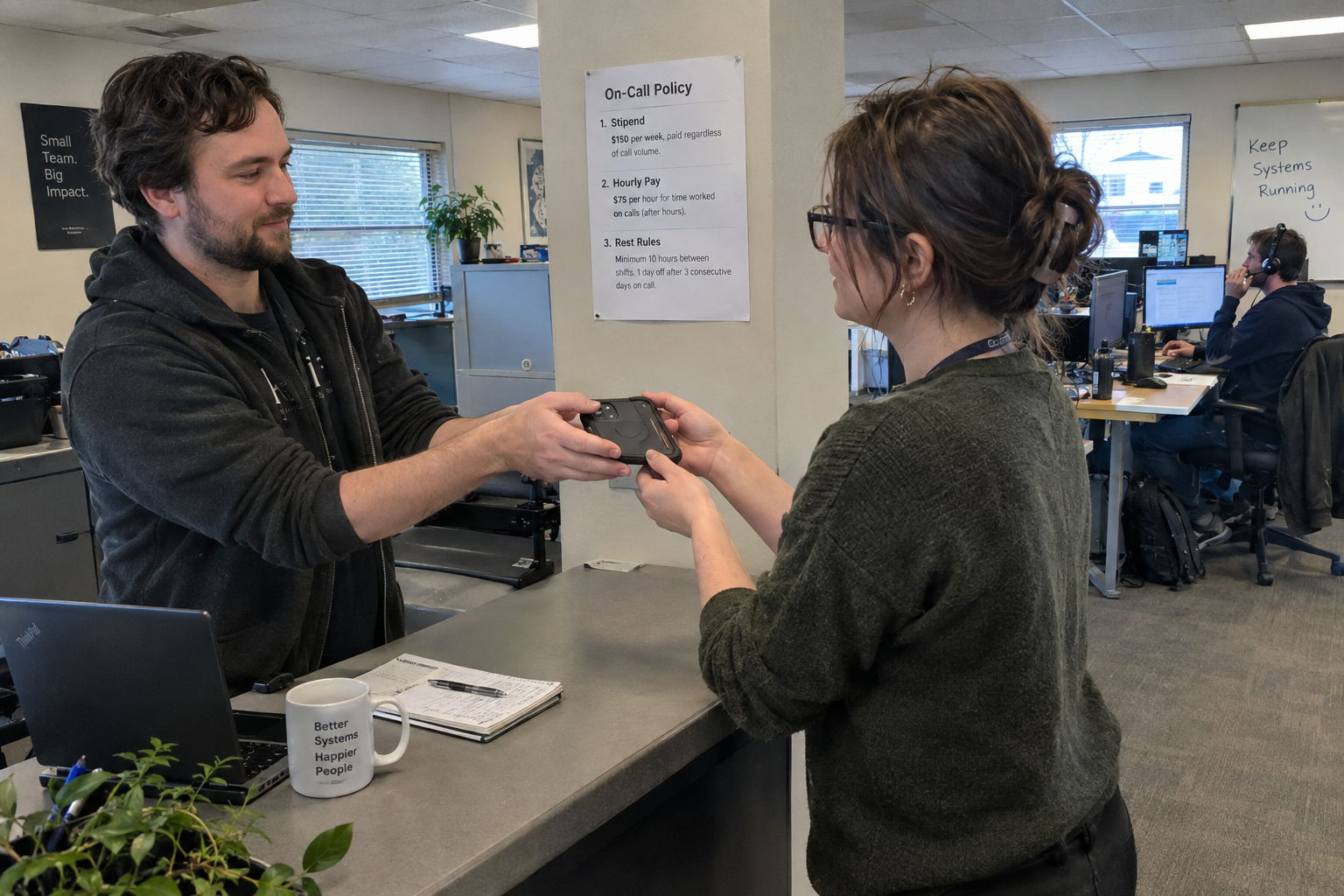
The stipend is in addition to hourly pay for actual call time, never a substitute for it. Folding the stipend into regular pay and denying the extra hourly pay is a failure mode owners have described, and it's the fastest way to lose trust. Publish the policy in writing before the rotation starts.
How Much Should You Pay for On-Call?
In my view, the range that works is a weekly stipend of $100 to $300 plus hourly pay at 1.5x or double for actual calls. The stipend alone rarely covers the disruption if calls are frequent, so the hourly component matters more than the base number. Say you pay a $100 weekly stipend and 1.5x under a 2-hour response SLA, and the phone rings only a few times in six months: techs will see that as close to free money. A $300 stipend with no per-call pay can also work when volume stays low.
If you're getting a handful of calls a month, techs will look at the stipend as fair. If you're getting ten, they'll feel it's not enough, and they'll be right. Match the number to your volume, and revisit it when the volume changes.
Set Rules That Protect Your Techs' Sleep
One bad night shouldn't ruin a tech's week. Set rest rules: non-critical calls after 8pm wait until morning, require 12 hours off after a 4+ hour overnight issue, and cap consecutive overnights. Owners who have tried this report these rules work even with a very small team, as long as the boss stays flexible on hours and techs log their total time.
The hard part is deciding which calls are critical enough to wake someone. Define it clearly: a P1 is a down server or a security incident. A P2 is a failed backup that can wait until 8am. Give the on-call tech the authority to make that call, and back them up when they defer something to morning.
Rest rules need a designated backup on-call person. If the primary works a 4-hour overnight and has to be off for 12 hours, someone else has to carry the phone. You can't enforce recovery if it leaves a coverage gap, so build the backup into the schedule.
Charge Clients Double and Give the Premium to the Tech
The financial side works when you charge clients double for after-hours work and pass the full amount, or a large share, to the engineer who takes the call. Owners who have tried this report that billing double and giving the full amount to the engineer keeps techs willing, with a few engineers volunteering for most shifts because the pay is worth the disruption.
Charging clients double depends on your contract terms and may need renegotiation at renewal. Some clients will refuse. If they do, you have options: set a non-critical response window so after-hours work is truly exceptional, or include after-hours in a higher-tier plan rather than per-call billing.
What if a client refuses to pay double? Don't bend the rest rules to make it work. Instead, set a non-critical window and make sure your technicians aren't absorbing the cost.
Know the Warning Signs Before Techs Quit
Watch for these signs that the rotation is failing: techs stop volunteering, complaints about fairness start showing up in your one-on-ones, sick time ticks up, and people push back on the rules you set. When techs who used to grab shifts start making excuses, something is off.
Picture the alternative: a company cuts its on-call stipend to $0, and the whole rotation quits within the month. Pay and respect are non-negotiable. If you're saving money on the stipend but losing your team, you're not saving anything.
What to Do Monday Morning
Review your current on-call policy, log call volume for the last 90 days, and draft a written policy with stipend, hourly pay, rest rules, and client double-rate. Bring it to your local legal expert for pay practice review before you implement. Pay practices for exempt and hourly staff must be checked with local employment counsel before the rotation starts.
The decision you face is which of these three changes is most urgent for your team: the pay model, the rest rules, or the client billing. In my view, start with the pay model. If your techs don't feel fairly compensated, the other two don't matter. Fix that first, then layer on the rules and the billing structure.

mspoutpost.com/articles/set-up-an-on-call-rotation-that-doesn-t-burn-out-your-techs
Written by Megan Friesen
MSP Outpost publishes information, not legal, financial, insurance, tax or compliance advice, and reading it creates no professional relationship. For decisions about your business, talk to a qualified professional.