
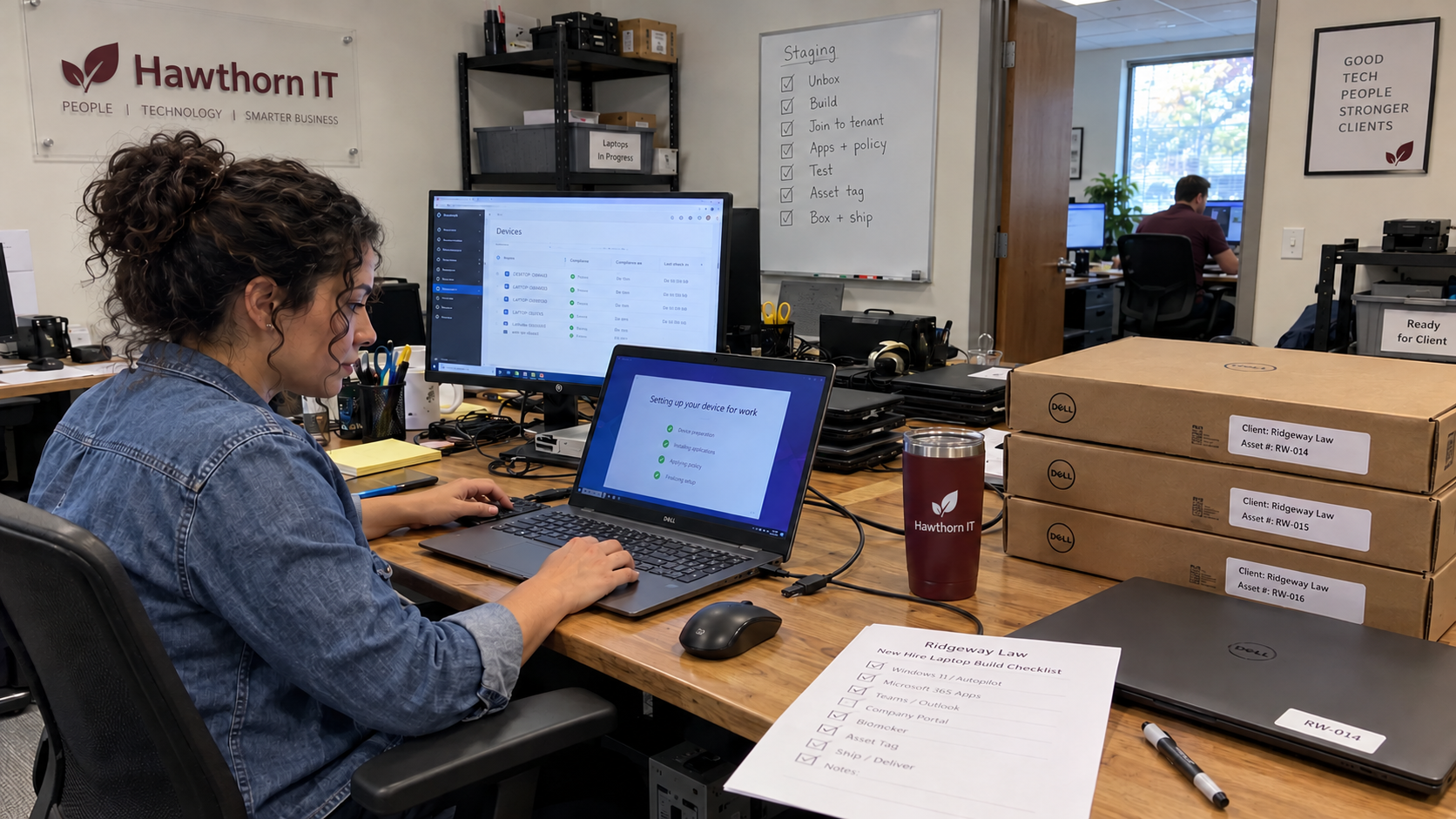
The claim that one image fits every client needs a test: does your laptop imaging process keep the common build separate from each client's identity? Reuse the method and approved software. Keep each client's identity, enrollment, and user access specific to that client, then verify the finished device before it leaves your MSP.
I'd treat the standard like a recipe. It tells the technician what to produce without assuming every client needs the same ingredients. The MSP model favors a standard stack and technicians trained on it; the build record should make that standard usable at the staging desk.
Choose the Deployment Method Before Calling It an Image
A standard build doesn't require the same disk image in every environment. The deployment method depends on your software, networking, configuration, and licensing requirements, so check those before you choose it.
Microsoft's Intune troubleshooting guidance warns against cloning devices already joined to Microsoft Entra ID or enrolled in an MDM service such as Intune. It says Sysprep does not remove those enrollment certificates and IDs. Running Sysprep doesn't mean the old enrollment is gone. Microsoft says so.
Pick the supported method for your hardware, operating system, and management tools. Document its prerequisites and the point where client-specific configuration is applied. A technician shouldn't have to choose a different deployment method from memory when a device arrives.
Write Down What Belongs in the Common Build
Keep a versioned build definition with an owner. For each item, record the approved package or policy, how it's applied, and the result the technician must verify. An application name on a checklist is too little information to reproduce the build reliably.
| Build Area | What the Definition Should Specify | Release Evidence |
|---|---|---|
| Operating system and hardware | Approved operating-system path and the checks required for the supported device model. | Installed version and relevant hardware checks recorded against the asset. |
| Management | The enrollment method and where client-specific management assignment occurs. | The intended device appears under the correct client in the management console. |
| Core applications | Approved packages, installation method, licensing requirements, and update ownership. | Required applications are installed and usable under the intended access. |
| Security configuration | The approved endpoint, access, update, and other device policies for the service. | Expected policy and protection status checked, with exceptions recorded. |
| Client applications | The approved client-specific software and dependencies. | The agreed application checks completed for that client. |
| Handoff | Asset details, user assignment, outstanding actions, and receiving owner. | A completed release record that the support team can find. |
Baseline security in the model includes endpoint protection, MFA, awareness training, and email protection. Some of that belongs to the wider client service rather than a laptop package. Don't mark the whole baseline delivered because an endpoint agent installed successfully.
Keep Client Identity Out of the Reusable Baseline
Maintain a client configuration record separate from the common definition. Include the intended tenant, management assignment, approved application choices, user requirements, and the person authorized to approve a change. Keep credentials, tokens, and customer data out of reusable build artifacts.
Practitioner Justin Esgar distinguishes a common onboarding procedure from client-specific settings, using email distribution groups as an example. Eric Anthony makes the same distinction between a repeatable process and an identical solution for every situation. That is a useful way to structure the build without turning every client into a separate handwritten procedure.
Treat the client record as an input the technician confirms, not permission to guess. If the destination tenant or user access is unclear, resolve it with the authorized owner before enrollment or release. A perfect build joined to the wrong client is a failed build.
Resolve Approval Choices Before the Laptop Arrives
Identify what the receiving team needs to start work. Connor Fagan recommends asking that question when designing handoffs, including laptop requests, rather than requiring every possible specification before moving work forward. Use the information needed for your actual next step.
I'd make the request identify the client, intended user, required date, approved device and application needs, and approval owner. Record what remains unknown and who will supply it. If license or application approval is still outstanding, show it as a dependency rather than a technician delay.
If a client has authorized standing choices, keep that authorization with the client record and confirm that it still applies. If the client wants to approve each addition, preserve that step. The common build should make the difference visible rather than silently choosing for them.
Give Deviations an Approval and a Review Point
A deviation needs a reason, an approver, and a support owner. Record which device or client it applies to and how the technician will verify it. Include the expected extra work and any separate approval needed before adding it to the build.
Set a review point based on the reason for the exception. A temporary workaround needs a path back to the standard. A continuing client requirement needs documentation and a decision about whether the shared standard should change.
Keep approved exceptions distinguishable from incomplete work. An installation that launches still needs approval and a support owner. Escalate the support question before the device becomes someone else's live problem.
Test the Device You Will Hand Over
Use the current build version on representative supported hardware before releasing a changed standard. Check the installation method, required applications, client assignment, and policy results. Record the result so the next technician knows which version was tested.
Then check the individual asset before handoff. Confirm its identity and intended client in the management console, complete the agreed user and application checks, and record any required recovery or support information through your approved process. A successful build test doesn't replace checking this device's destination. Test that destination before the receiving technician or user has to discover a wrong-client assignment.
If a required check fails, keep the device in an unresolved state with an owner and next action. Define who can approve release with an accepted exception. Don't let a shipping label become the approval.
Measure Touch Time Separately From Waiting
Record technician labor separately from elapsed deployment time. Track waits for software, network access, client approval, and other dependencies in their own categories. That lets you inspect whether a slow handoff needs better packaging, a clearer request, or a different technical method.
Compare results by build version, supported device model, and relevant client exceptions. Keep rework and early support requests with the same record. A shorter staging time isn't a useful improvement if required checks were skipped and the work moved to the user's first day.
Start with the build your technicians already perform. Write the shared definition, separate its client inputs, and test the release checks on the next supported device. Use the measured result to improve the process before making a promise about minutes.

mspoutpost.com/articles/build-a-laptop-imaging-process-with-a-verified-handoff
Written by Dana Kowalski
MSP Outpost publishes information, not legal, financial, insurance, tax or compliance advice, and reading it creates no professional relationship. For decisions about your business, talk to a qualified professional.