
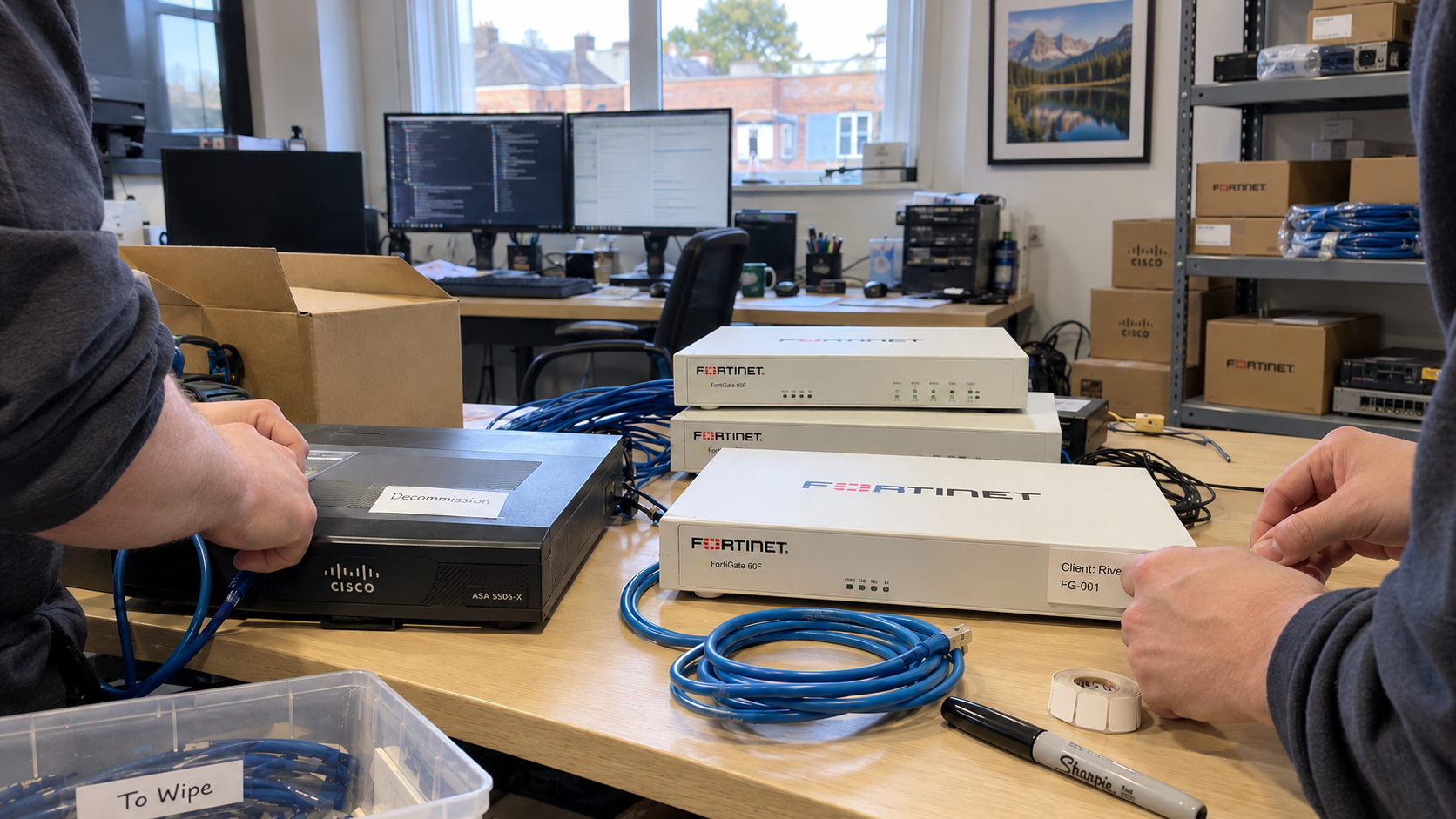
The claim to test is that an MSP standard tech stack lowers desk cost. I'd look for the change in ticket volume, labor hours, and the work each tier resolves before calling the saving real. Buying the same products is a starting condition, not a result.
The MSP model favors one standard technology stack across clients and training every technician on it. A stack means the products and configurations you agree to operate together. The useful question is which exceptions you can remove, and what the change does to the work left on your desk.
Define the Standard Beyond the Product Names
Write down the configuration your runbook expects as well as the product. Remote monitoring and management, or RMM, is the tooling used to monitor and administer the environment remotely. A common RMM product doesn't establish that every client has the same policies or that the recorded settings match the deployed ones.
I think of the standard as the layout of a shared tool drawer. Matching labels help only if the expected tool is actually in its place. Once the configuration and documentation agree, you have something specific to test.
Keep the model's baseline security in every plan: endpoint protection, multifactor authentication, awareness training, and email protection. Advanced tools can be add-ons under that model. An exception to your preferred product still needs its coverage and operating responsibility checked; a different logo doesn't answer either question.
Name What Breaks and Who Notices
Picture a technician following your backup runbook for a client whose backup configuration is an undocumented exception. The technician reaches a step that doesn't match the environment. In this hypothetical, that person finds the gap before the runbook can guide the rest of the task.
The exception to investigate is specific: the deployed configuration and the instructions disagree. Record the mismatch and who owns its correction. Don't turn that example into a claim that all exceptions cause escalations or that every migration will prevent them.
For each proposed change, I'd name the work the technician must still perform. Check whether the replacement introduces migration work, new administration, or a dependency your support process needs to accommodate. A list of matching subscriptions is admirably neat; the ticket still needs an answer.
Separate the Cost Drivers Before Testing the Change
| Driver | What to Record | What the Comparison Can Tell You |
|---|---|---|
| Ticket demand | Record comparable ticket counts and supported seats for the period. | A change in tickets per seat identifies a workload difference to investigate. |
| Labor per ticket | Record total technician labor, including work by another tier. | A change in labor hours identifies effort that a simple resolution-time measure can miss. |
| Resolution mix | Record the tier that resolved the work and any escalation labor. | A changed mix can alter the modeled labor requirement. |
| Tools and transition | Record subscription costs and the work needed to make the change. | These costs belong beside any proposed delivery benefit. |
Keep elapsed resolution time separate from technician labor. A ticket waiting for a client response can remain open without consuming continuous technician hours. Choose the measure that answers the cost question you're asking.
Use the Model as a Sensitivity Check
The model's well-run assumption is 0.5 tickets per seat a month; it places a typical MSP at 1.0 to 1.4. In the 700-seat US example, its sensitivity comparison changes the desk from four technicians at 0.5 to seven at 1.0. The corresponding modeled desk cost is $38.25 versus $66.94 per seat.
The model reports a 7.8-percentage-point difference in earnings before interest, taxes, depreciation, and amortization, or EBITDA, between those ticket-volume cases. That comparison shows why the workload input matters. It doesn't establish that standardization will move your business from one case to the other.
The baseline model resolves 65% of tickets at Tier 1 and uses 30 labor minutes for a Tier 1 resolution, compared with 120 at Tier 3. Those are workload assumptions for different resolution tiers. They aren't measured proof that familiarity with a product makes the same ticket four times faster.
A separate model sensitivity changes the resolution mix to 70% at Tier 1, 24% at Tier 2, and 6% at Tier 3. Its US result improves by about $109,000 a year, or 3.0 EBITDA percentage points. Treat that as a calculation under changed inputs, not a saving to attach to a new tool contract.
I'd keep both comparisons beside the observed workload. If fewer labor hours are needed but the same payroll remains, identify what the freed capacity will actually do. A capacity benefit and an immediate cash saving are different decisions.
Check the Tool Cost Without Inventing a Basket
The model's US tool allowance is $22.50 per seat per month. At its example seat price of $225, that is $22.50 ÷ $225 = 10% of managed-services revenue. It is an allowance for delivery tools, not a vendor-by-vendor quotation.
Build your comparison from actual supplier terms and the configurations you propose to operate. Keep a license used to deliver the managed seat on the appropriate delivery-cost basis. Don't move a cost into another category simply to make the stack appear to meet its allowance.
A standard can still be expensive on your supplier terms. It can also need work your current team hasn't scheduled. It depends on the contract costs, migration effort, retained exceptions, and the workload measured after the change.
Choose a Comparison That Can Answer the Question
Choose a period with enough representative tickets and comparable client conditions to make the comparison useful. Use the records available rather than prescribing a fixed number of quarters. Identify changes in client size, onboarding, service scope, and ticket logging that could affect the result.
Compare the clients you moved with their earlier work, and examine the other clients over a comparable period. A difference is a reason to investigate the mechanism. It doesn't, by itself, show that the stack change caused it.
Check total labor hours and the tier mix alongside tickets per seat. Then compare the remaining work with staffed productive capacity before promising that the desk can take more clients. Keep project and transition commitments in that capacity check.
Assign the Exception Work Before Migrating
- The technical owner inventories the current products, settings, and supported exceptions.
- The service lead chooses the proposed standard and identifies the runbook and training changes it requires.
- The account owner agrees the client scope and any migration work before the schedule is committed.
- The finance owner records supplier costs and the costing basis for the comparison.
- The service lead reviews the chosen workload measures and decides what the evidence supports.
If the configuration drifts, the runbook doesn't match, or nobody owns the remaining exception, fix that condition before treating the migration as complete. Keep an exception visible when there is a reason to retain it. A standard earns its place through the work you can support and the costs you can explain.

mspoutpost.com/articles/msp-standard-tech-stack-test-the-cost-of-exceptions
Written by Dana Kowalski
MSP Outpost publishes information, not legal, financial, insurance, tax or compliance advice, and reading it creates no professional relationship. For decisions about your business, talk to a qualified professional.