
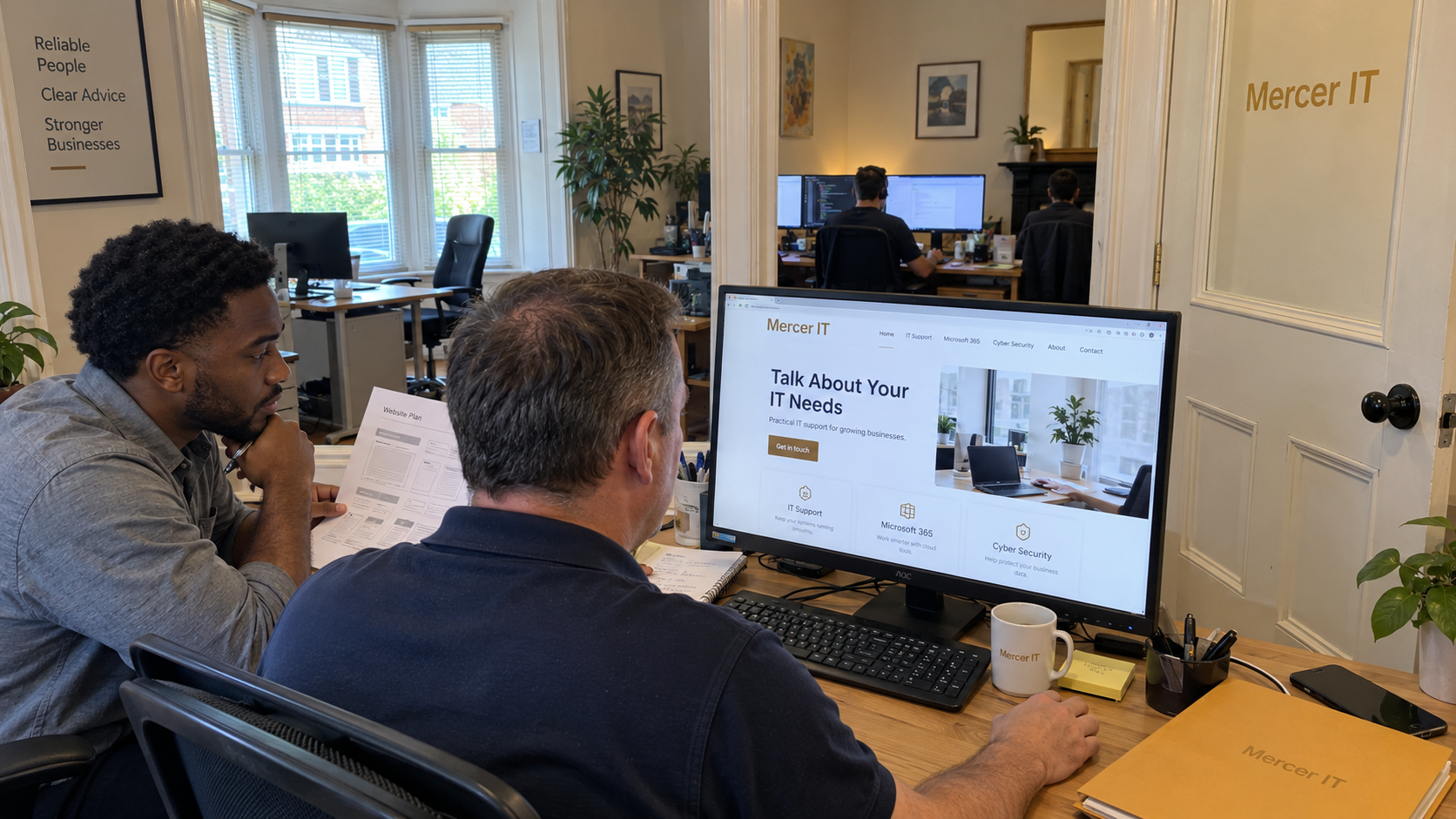
'Tell us what you need IT to take responsibility for.' That's a useful starting point for the contact invitation on your MSP website. Give each page a buyer question to answer and a clear next action, then make sure a named person can carry that action into a conversation.
I'd start with the pages needed to explain the offer you actually sell. Keep useful navigation and supporting detail, but stop asking the same visitor to choose between unrelated campaigns. A prominent action should tell them what will happen when they use it.
Give Each Page a Specific Job
Build the page list around decisions a prospective client needs to make. A service you don't intend to sell doesn't need a prominent place because it appeared in an old brochure. A claim that needs explanation shouldn't be left as a badge.
| Page | Buyer Question It Answers | Primary Action |
|---|---|---|
| Home | Does this MSP serve a business and need like mine? | Discuss Your IT Needs |
| Managed IT Service | What responsibility would the MSP take, and where does it stop? | Discuss Your Support Requirements |
| Relevant Industry or Use Case, Where Supported | Can the MSP explain this particular work? | Discuss a Similar Need |
| Customer Story | What did the client change, and what result can be checked? | Discuss Comparable Work |
| About the Business | Who would we be trusting and how does the relationship work? | Meet the Team on a Call |
| Contact | How do I start, and what happens after I submit? | Send My Inquiry |
These are proposed page jobs, not a universal page-count target. An industry page needs actual knowledge and an offer that fits the audience. Don't create a set of near-identical sector pages merely to make the navigation look established.
Ray J. Green proposes leading a full-service IT business's homepage with an umbrella outcome, with focused service pages linked below it. He presents that as a way to describe the business without restricting it to one service. Use the distinction to keep the homepage readable while allowing a buyer to inspect the work behind the promise.
Explain the Offer Before Asking for the Meeting
On the managed IT page, describe the responsibility your recurring service accepts. Tell the buyer what is included and where separate work needs agreement. A visitor shouldn't have to book a call just to discover that the service you're describing excludes the thing they need.
Try this fill-in copy: 'We manage [defined responsibility] for [the clients you can support]. The agreement includes [the work you deliver] during [the agreed coverage]. Work outside that scope is discussed and approved separately.' Replace the brackets with your actual offer before publishing.
Dawn Sizer describes seeking marketing help to translate her MSP's technical language into terms clients could understand, then adapting that framework across its materials. That's her firm's account. Check your service page against the words you can use consistently in a real sales conversation.
'Turn every visitor into a lead' is sales advice I wouldn't use to design an MSP's website. Existing clients may need support, and prospective employees may be looking for jobs. Give those people clear routes while keeping the prospective client's commercial next step obvious.
Make the Button Match the Next Step
A button labelled 'Discuss Your Support Requirements' should lead to that inquiry or conversation. If it opens a form, explain what information you need and what happens next. Don't describe an introductory discussion as an assessment if nobody will inspect the environment during it.
Use a contact-page explanation such as: 'Tell us about your business and the IT responsibility you want help with. [Named role] will review the inquiry and contact you through the method you select to arrange the next step.' Fill in the role your team has actually assigned. Add a response commitment only when the person responsible can meet it.
Need an option for someone who isn't ready to book? Offer: 'Send us the question you need answered before deciding whether a call would help.' Use it as the page's chosen action where that fits the buyer's decision, rather than adding it beside a competing set of offers.
Keep the form to information the receiving person needs to route and prepare for the inquiry. Ask the service question in plain language. Don't require a prospect to diagnose their network to ask whether your MSP can help.
Handle the Existing Provider Objection Clearly
A buyer who already has an MSP may be checking a specific gap rather than shopping for a replacement. Give them accurate language for the conversation you offer, without suggesting that you know their current provider is failing.
For that situation, try: 'Already working with an IT company? Tell us which responsibility you're considering help with. We can discuss whether our service fits, without assuming you need to replace the arrangement you have.' Only publish that wording if you're prepared to have that bounded conversation.
If the buyer replies, 'I don't want a sales pitch,' the receiving seller can say: 'Understood. What do you need to establish before deciding whether another conversation is useful? If our service doesn't fit, we can say so.' The page's promise and the person's behavior need to agree.
Keep Proof Specific and Approved
A customer story should explain the work that produced its stated result. Keep any comparison period with the result, and identify a client's opinion as their opinion. Don't turn an approved project outcome into a guarantee for every new managed client.
Use only the customer names and quotations approved for that use. A logo without context doesn't explain which service the customer received. Keep the relevant story near the decision it helps the buyer make.
Remove stale offers and unexplained supplier logos from the route to the inquiry. Keep material that answers a real buyer question, even when it doesn't ask for a meeting itself. One primary action doesn't mean deleting the information someone needs to decide whether to take it.
Test the Inquiry Route With the Person Who Receives It
Submit a clearly marked internal test through the live route and confirm who receives it. Follow the record through to the assigned response. Check the booking destination as well as the page copy so an outdated calendar doesn't invalidate an otherwise useful invitation.
Rich Freeman suggests checking an MSP's own customer journey as a secret shopper, including website follow-up and the published phone number. That's his practitioner approach. Adapt it into an internal check with a recorded result, rather than assuming a working submit button proves that someone handles the inquiry.
Keep the originating page with the inquiry when your system supports it, and ask the prospect what prompted them to contact you. Review whether the conversations fit the offer. Page activity alone doesn't show that the site brought in a suitable client, and a lack of inquiries doesn't tell you which part failed without checking the route.
Budget for the Site and the Work Behind It
The model's stable sales and marketing allowance is 6% of total revenue. It covers sales as well as marketing, so it isn't a website spending recommendation. Fit the proposed site work around the other commitments that budget has to carry.
Assign someone to keep the service description current and someone to receive its inquiries. Those may be the same person, but both jobs need an owner. A new layout won't repair an unsupported offer or an inquiry nobody can answer.
Start with the service page and its next action. Have the person who handles sales read the promise aloud, then submit a test inquiry through that route. Change the page or the follow-up until the conversation you offer is the one your business is ready to have.

mspoutpost.com/articles/msp-website-pages-that-give-buyers-a-clear-next-step
Written by Natalie Brandt
MSP Outpost publishes information, not legal, financial, insurance, tax or compliance advice, and reading it creates no professional relationship. For decisions about your business, talk to a qualified professional.