
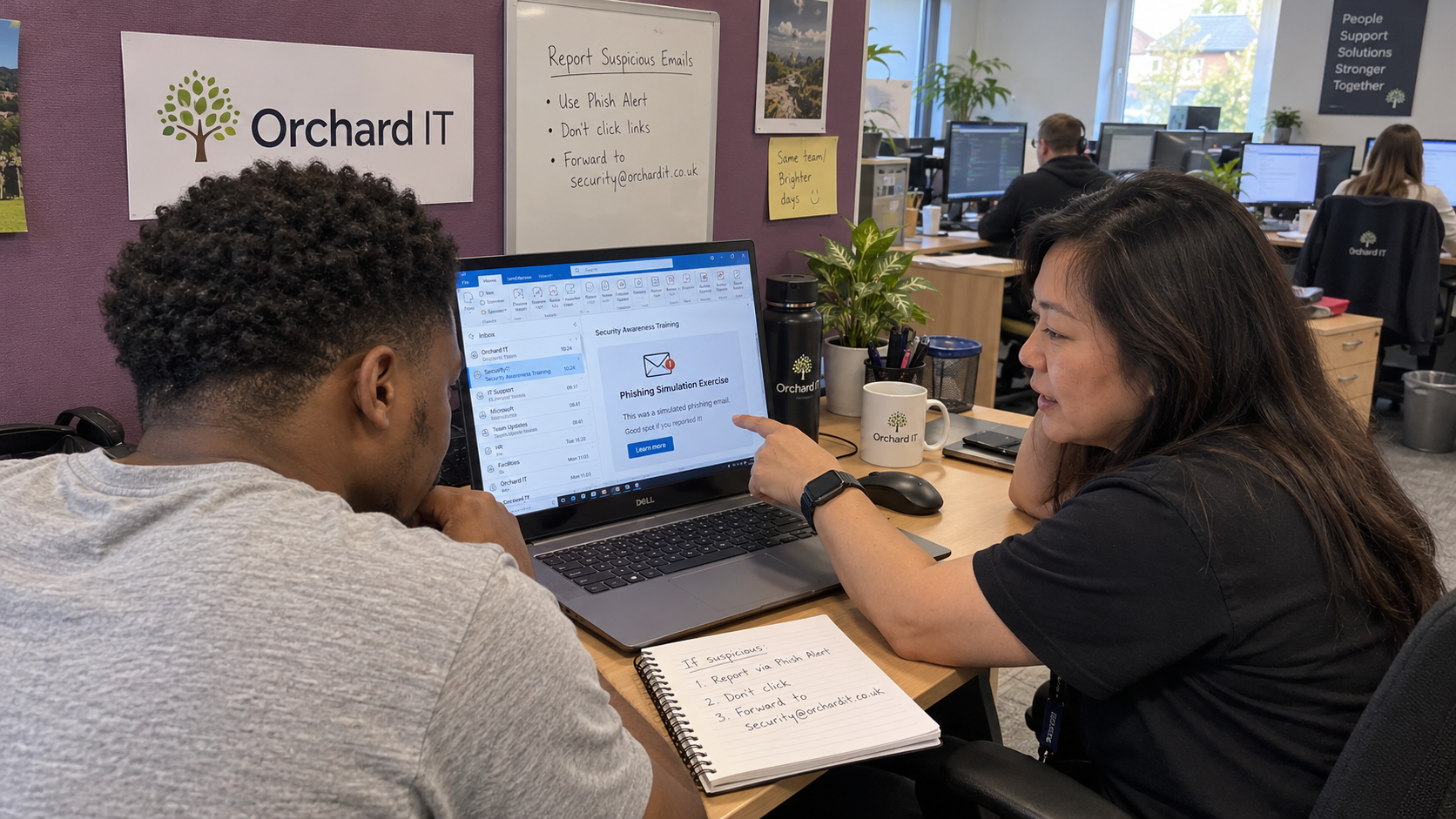
Before putting a result in a phishing simulation report, check what action it actually records. Use the result to choose a teaching conversation and test the reporting route. Keep the recorded training action separate from conclusions about a real compromise or a person’s overall security competence.
My view is to run a cycle you can follow through, with the client approving its purpose and boundaries. Choose the next exercise after reviewing the evidence and the support needed. The model sets no universal simulation frequency or click-rate threshold to borrow.
Agree What the Exercise Is Supposed to Teach
Choose a behavior the client needs people to practice. That might be reporting a suspicious message or verifying an unusual business request through an established route. State what a useful response looks like before choosing the template.
The model includes awareness training in baseline security. A simulation can support that training, but it does not replace the other protective controls.
Agree the exercise with the client’s authorized sponsor and people lead. Define the participant scope and who may see identifiable results. Have the relevant advisers check any employment or privacy requirements rather than treating a training-tool subscription as permission to run any scenario.
I would reject a design whose main appeal is that it will embarrass somebody. Choose a scenario that allows a concrete discussion about work. Avoid using a sensitive personal concern as a surprise merely to make the click count rise.
Make the Reporting Route Work First
The exercise is a rehearsal, so check where the alarm goes before counting who pulled it. Have a permitted test report reach the actual person or team responsible for triage. Confirm that the recipient can distinguish the simulation from a real suspicious message without losing real reports.
If reports reach an unattended mailbox, the mailbox gets the warning while the responder remains unaware. Fix that route before asking the client’s staff to use it. The client should know how reports are acknowledged and who handles a suspected real incident during the exercise.
Set expectations with staff about the reporting process. Make clear that someone who has already clicked should still report promptly through the approved route. That instruction needs to match the client’s actual policy and the behavior of the people receiving the report.
Run an Owned Cycle
The following is a proposed delivery sequence for an MSP-run program. Name the individuals responsible in the client’s record and confirm they can complete the follow-up. Do not schedule another round simply because the tool offers a recurring button.
| Stage | Owner | Evidence Before Moving On |
|---|---|---|
| Define the purpose | Client sponsor and MSP training lead | The behavior being practiced and the authorized scope are recorded. |
| Review the scenario | Training lead with client people lead | The scenario fits the work context and the information-handling boundaries are approved. |
| Check the setup | Tool administrator and reporting owner | A permitted test confirms delivery, event capture and the report handover. |
| Run the exercise | Training lead | The approved setup is used and someone can handle staff questions or a real incident. |
| Review events | Training lead | Recorded actions are checked for delivery problems and possible automated activity. |
| Teach the next action | Assigned coach | The employee receives a private, relevant explanation and can use the intended reporting or verification route. |
| Plan the next round | Client sponsor and training lead | The findings and follow-up capacity support the chosen timing and scenario. |
Keep configuration changes limited to what the authorized test requires and follow the platform’s supported setup. Review their effect on ordinary protection with the tool administrator. Broadly weakening mail security to make an exercise easier to deliver changes the environment you intended to teach people to use.
Investigate the Click Before Assigning a Meaning
Microsoft documents that automated URL inspection and message forwarding can produce false-positive click events in its simulation reporting. It recommends examining event details to distinguish likely user activity from automated inspection. Use that product-specific warning when reviewing its results, and check your own tool’s documented limitations.
A click recorded by the system is therefore a finding to examine. If an employee disputes the event, review the available evidence with the tool administrator rather than treating the disagreement as proof of dishonesty. Keep an unresolved event unresolved in the report.
Define the denominator as well. Distinguish the people who actually received the exercise from the intended recipient list, and identify exclusions. A percentage cannot be interpreted properly when the report never states who had the opportunity to respond.
Check the client’s reporting route before concluding that nobody reported.
Use Difficulty to Read the Result
Record the message cues and its fit with the recipient’s work alongside the result, rather than comparing unrelated templates as though they were equivalent tests.
If a vendor presents a lower click rate as proof that training worked, ask whether the message difficulty and participant context were comparable. The observed pattern alone cannot isolate the effect of the training.
A league table is very efficient at measuring league-table position. Keep the client’s report focused on the behavior practiced and the process gaps found. Individual results belong with the authorized people responsible for follow-up, not in a public ranking of staff.
Teach Privately and Check the Next Action
Ask the person what made the message plausible and what they would do with a similar request now. Use the actual exercise to explain the relevant cue or verification route. Do not assume a recorded click tells you which part of the process was unclear.
Give the person a chance to practice the intended action with support. That can include showing the reporting route or explaining how to reach a known contact independently. Record completion separately from evidence that the person could perform the action.
Share general lessons with the wider client team without identifying the people who clicked. Someone who did not click may still need the reporting guidance. The lesson should remain useful beyond recognizing the exact template you sent.
Choose a Cadence You Can Support
It depends on the client’s work context and your follow-up capacity whether a planned interval is workable. Agree the next review point from those conditions. The calendar should leave room to act on the previous findings instead of building an unattended queue of training assignments.
Give the client sponsor a concise account of the valid results and the limitations. Identify any change required in the reporting process, with its owner. Choose the next scenario to test that learning, while keeping the result separate from a claim that simulated performance proves real-world security.

mspoutpost.com/articles/phishing-simulation-teach-the-response-after-the-click
Written by Dana Kowalski
MSP Outpost publishes information, not legal, financial, insurance, tax or compliance advice, and reading it creates no professional relationship. For decisions about your business, talk to a qualified professional.