
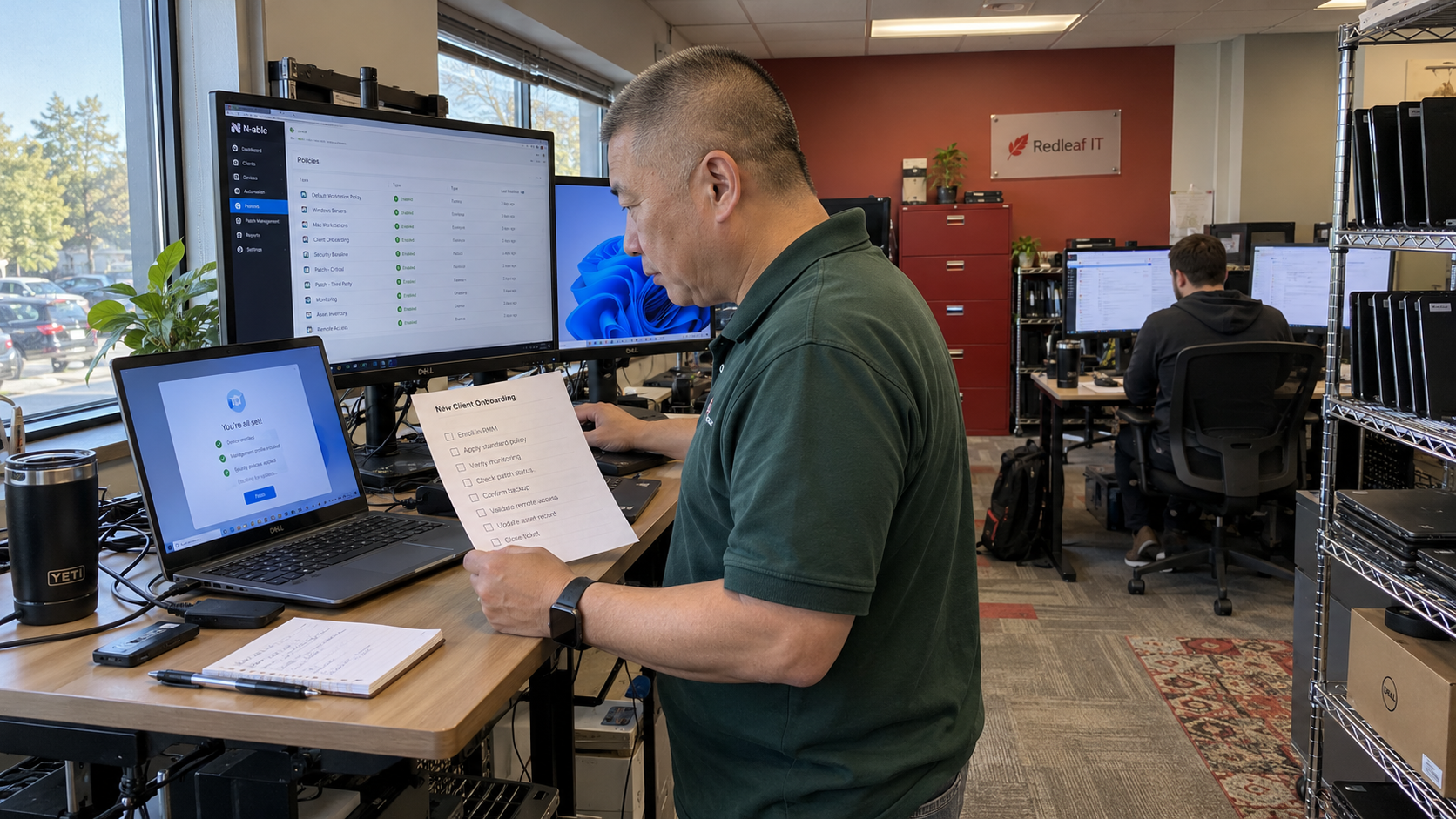
NinjaOne tells users to test and evaluate its template-library scripts before implementation. Apply that instruction to RMM best practices for your inherited onboarding policy: find what a new device actually receives, review what it can change, and prove the result in a controlled enrollment. A familiar vendor name isn't your acceptance test.
An inherited template is a shared recipe. Fixing the ingredients before another batch is made is easier to control than finding every place the mistake was copied. For your RMM, that means cleaning the future enrollment default while separately identifying the existing devices that might need attention.
The MSP Outpost model uses RMM automation as its default NOC approach and calls for a standard stack with trained technicians. That gives the default policy real operational weight. My view is that it needs the same named technical owner as any other shared part of your service.
Find the Policy the Device Actually Receives
Start with the enrollment path your technicians use today. Check the selected policy and the settings inherited from elsewhere. Compare them with a device's effective configuration, because the displayed template name alone may not explain the resulting behavior.
Read your product's current documentation for inheritance and local overrides. Establish whether changing the default affects only future enrollment or also changes enrolled devices. Don't infer that answer from another RMM product, or from the behavior of an earlier version.
It depends on the product's inheritance rules, the device groups involved, and the overrides already in place. Write down those conditions before you choose the deployment scope. If you can't establish the affected population, resolve that unknown before changing the shared policy.
Preserve the current settings using the tool's supported export or version method. Save the scripts the policy references and record how to restore the prior state. Name the technician who can perform that restoration if the candidate fails its check.
Give Every Inherited Item a Reason to Exist
Build a review inventory from the actual enrollment path. Include indirectly referenced items, rather than limiting the check to what is visible on the first policy screen. The technical owner should be able to explain why each item belongs in the new-client default.
| Inherited Item | What the Reviewer Records | What Must Be Decided |
|---|---|---|
| Monitor | The condition being checked and the response it should trigger. | Whether the target devices need this coverage. |
| Script | The reviewed version and the changes it is allowed to make. | Whether those changes belong in the enrollment process. |
| Schedule | The job and the device selection it uses. | Whether the timing fits the client’s agreed work. |
| Site Input | The meaning and approved source of each required value. | How a wrong or missing client value will be handled. |
| Notification Route | The destination and the person expected to act. | Whether the recipient can identify the client and next step. |
| Local Exception | The reason it exists and who approved it. | Whether it stays local or changes the shared standard. |
Mark an unexplained item for investigation. Don't delete it because nobody recognizes its name. Find the requirement and its dependencies before deciding whether it is dead work or neglected coverage.
Look for values carried over from the old client. A recipient address can send a valid alert to the wrong person, and an obsolete local path can make an otherwise useful script fail. Replace those values through the approved site-input method, then check the resolved value on the test device.
Keep secrets in your approved credential system. Don't embed them in the shared template as a shortcut around a failed enrollment. Have the reviewer check access requirements alongside the script's intended actions.
Read the Script Before Testing Its Success Message
NinjaOne's Getting Started with Automation Scripting guidance describes its library scripts as supplied as-is and puts testing and evaluation on the user. That establishes a responsibility, not a finding that any particular library script is defective. Give the script a review based on its actual behavior.
Have a qualified technician read the candidate version and identify the changes it makes. Check the execution context and the systems it can reach. Confirm that those permissions and actions are appropriate for the approved enrollment work.
Use a controlled test environment with representative device conditions. Verify the resulting state, rather than treating a completed job status as the result. A script can finish the action it was given while still receiving the wrong site input.
Test the failure path as well. Establish what the operator sees when required data is missing and whether the process stops safely. Record who investigates a failed or partial run before putting the job on a shared schedule.
Keep the reviewed version attached to the result. If someone changes the script later, require another check of the affected behavior. An old test record shouldn't silently approve a new set of instructions.
Retire Items Without Retiring Their Purpose
Separate removing an obsolete monitor from removing a requirement. Have the technical owner identify what the monitor was supposed to detect, then document how that need is handled after the change. If the need no longer applies, record the reason.
A quiet monitor may have nothing to report. Silence doesn't establish that it is redundant, just as a high alert count doesn't establish that the underlying condition is harmless. Check the service requirement and receiving workflow before deciding what to remove.
For a script proposed for retirement, trace the schedules and other automation that call it. Check infrequent work as well as recent execution history. Keep restoration material for the approved change instead of deleting the only recoverable copy during cleanup.
Where coverage will remain incomplete, give the responsible service owner a specific decision. Name the affected service and the remaining exposure. A technician shouldn't have to infer that an unexplained deletion also approved the risk.
Test Enrollment All the Way to the Receiving Technician
Run a controlled enrollment against the candidate policy with approved site data. Compare the resulting configuration with the review inventory. Then verify that the receiving team sees the intended event and knows what to do with it.
Picture a candidate that carries an old client's alert recipient and runs a service restart intended for a different device role. The onboarding technician might see a successful agent installation first. The client user could discover the interrupted service before anyone at your desk notices the misrouted notification.
That is why I would test the actual destination and resulting device state. Use the product's supported test methods for the relevant conditions. Don't create a production fault just to make a monitoring check convenient.
Have someone other than the template author follow the output. If they can't identify the client or the next action, fix the record or the workflow before extending the candidate. Save expected and actual results against the policy version.
Release a Version the Next Technician Can Recognize
Choose a rollout scope that covers the relevant device differences while leaving your team able to respond. Expand after the candidate meets its checks. Restore or correct it when a meaningful behavior fails, before adding more devices.
Publish the approved version and tell onboarding staff how to select it. Keep the plan for existing-client differences separate, with its own affected-device list. Changing the enrollment default doesn't establish that every old device now receives the new settings.
After release, examine actual enrollment results and the work they create. Fewer alerts can reflect removed duplication or missing coverage, so inspect missed conditions alongside the count. Check manual corrections as well before claiming the change saved desk time.
Start with the default scheduled for your next onboarding. Give its unknown items to the technical owner and make the controlled enrollment the acceptance check. The next technician should inherit a tested version with a clear purpose, rather than another policy whose history nobody can explain.

mspoutpost.com/articles/rmm-best-practices-for-an-inherited-onboarding-template
Written by Dana Kowalski
MSP Outpost publishes information, not legal, financial, insurance, tax or compliance advice, and reading it creates no professional relationship. For decisions about your business, talk to a qualified professional.