
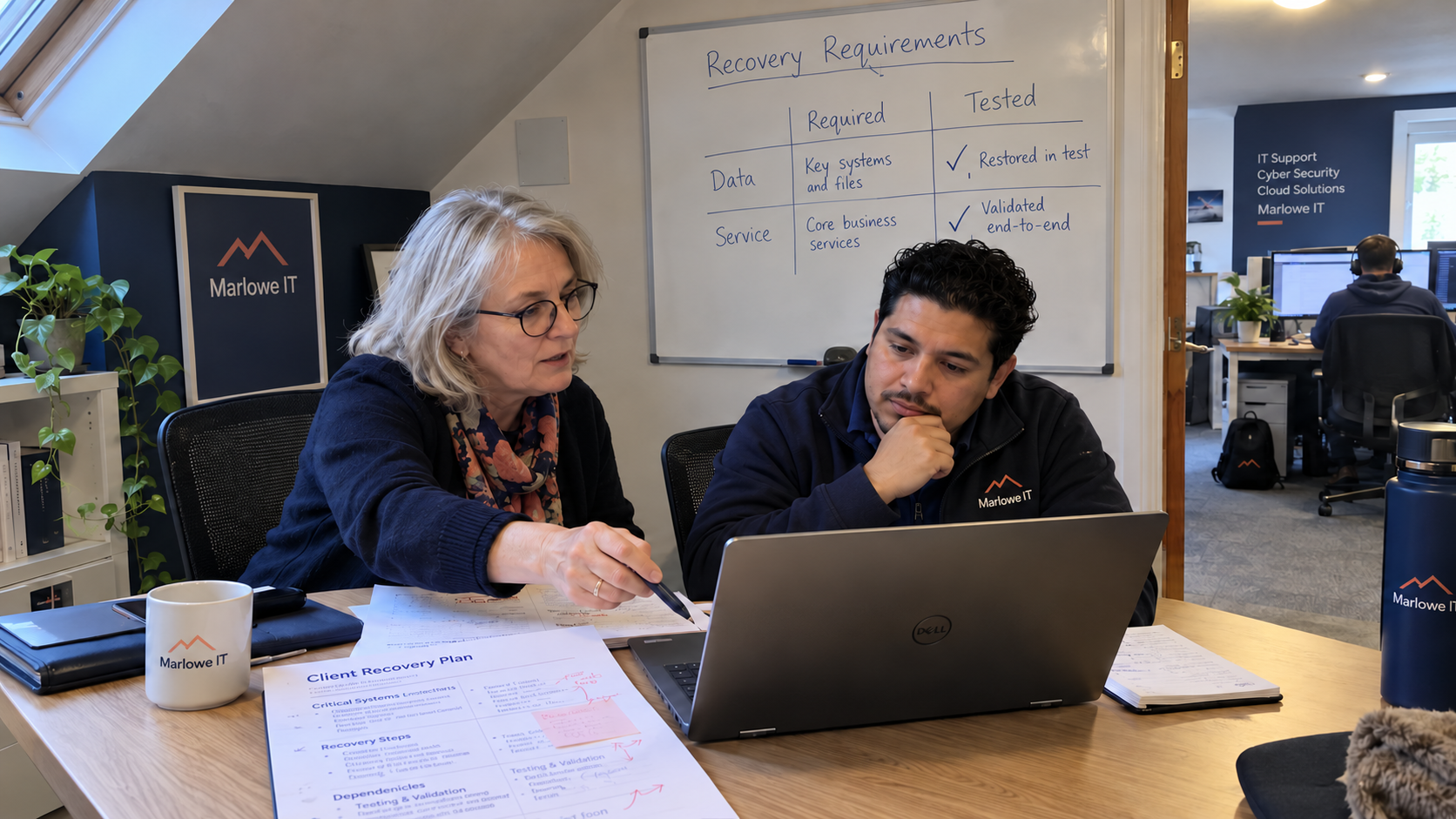
Ask what 'instant recovery' actually returns before using the claim to explain RPO vs RTO to a client. A restored server doesn't tell you which records are available or when someone can use them. Agree the required recovery point and restoration time for the named service, then check whether the proposed method can meet them.
I'd keep the client's requirement beside the demonstrated result in the recovery plan. Don't let a product feature supply the answer to a business question nobody asked. A recovery console can report success while the accounts team still can't issue an invoice.
Keep the Data Point Separate From the Recovery Time
RPO means recovery point objective. It sets the point in time the data needs to return to after an outage. In client language, ask how much recent work the business could lose or need to reconstruct.
RTO means recovery time objective. It sets the target time for restoring the specified system resource or service. Choose it to fit the business's acceptable interruption, allowing for any work still needed after technical recovery before the business process is caught up.
Think of a document you saved before its editor stopped working. The saved version determines which writing you need to recreate; reopening the editor is a separate task. Fixing one doesn't fix the other.
A backup schedule alone doesn't prove that the required recovery point is available. A recovery demonstration doesn't prove that the client's complete service will return within its target. Those claims need evidence for the data and service the plan actually covers.
Ask the Process Owner About the Consequence
Start with the work that would stop. Ask the person responsible for that work: 'If this service became unavailable, which business activity would be interrupted, and when would that become unacceptable?' Record a real deadline or consequence, rather than converting a preference for quick service into an unexplained target.
Then ask: 'If the recovered data ended earlier, which missing transactions could you recreate and where would that information come from?' Check that the alternative record would remain accessible in the outage you're considering. Reconstructing work isn't a useful assumption if the supporting record is in the same unavailable system.
It depends on the business deadline and the available workaround, as well as the effort required to recreate missing work. Put those conditions beside the requirement. If the answer changes during a critical trading period, record that change explicitly.
The client's process owner approves the business need. The MSP's technical lead assesses whether the proposed recovery service can support it. Keep an unmet need visible instead of quietly rewriting the target to match the tool.
Test the Instant-Recovery Claim Against the Actual Service
Ask the vendor which component its feature starts and what must already be working. Use the answer to define the exercise for this workload. A demo doesn't tell you how long your client's whole service takes to recover.
For a hypothetical example, suppose an application has been restored but its identity service is unavailable. The employee trying to sign in may find the gap before the technician watching the recovery status. Include that sign-in and an agreed business task in the verification, rather than treating a running application process as the accepted result.
Record the scenario and what remained available during the exercise. If you tested while identity and networking were healthy, don't present that result as proof of recovery when those dependencies are also lost. Ask what additional work needs verification before making that claim.
A suspected compromise also changes the recovery decision. Don't assume the newest copy is the right one to restore. Have the incident response lead establish the suitable recovery point and conditions for returning the service to use under the agreed response process.
The result should identify the data recovered and the elapsed time for the defined service check. Compare each with its own objective. A good result for one doesn't erase a failure against the other.
Write a Recovery Agreement Someone Can Use
Use a short record for each workload rather than a single fast-recovery promise for the whole client. Keep the technical instructions referenced from it, so the business agreement stays readable without duplicating the recovery procedure.
| Field | What to Record |
|---|---|
| Business work | The process, its named client owner, and what must resume |
| Required data point | The approved RPO and the missing work the business can tolerate |
| Required restoration time | The approved RTO, the event starting its clock, and the condition stopping it |
| Business catch-up | Any reconciliation or reprocessing still needed after technical restoration |
| Recovery dependencies | The services and access the method requires, with a reference to the instructions |
| Demonstrated result | The actual recovered data point and elapsed result from the stated exercise |
| Acceptance | Who checks technical readiness and who confirms the agreed business task |
| Unresolved gap | The unmet requirement, next action, owner, and client decision |
Use units on the objectives and preserve the business condition that led to them. A target written as 'quickly' can't be compared with a timed result. Don't borrow a duration from a sales package when the client hasn't accepted what it means for their work.
Define the recovery clock before collecting the timing. If the technical measurement starts only after a restore is authorized, show the earlier decision period separately. The client's interruption may have begun before the stopwatch in the restore tool.
Keep the finish condition equally clear. Record the evidence that an authorized employee completed the agreed task, if that is the service outcome you accepted. State the remaining business catch-up separately rather than hiding it inside a server-start milestone.
Resolve the Gap Before Selling the Promise
When the design can't meet the stated need, explain the gap and the work proposed to address it. Identify what still needs testing. If the client accepts a changed requirement, keep their decision and its consequence in the plan.
Keep the model's required security baseline in the managed service. A discussion about an additional recovery capability shouldn't turn that baseline into an optional purchase. Describe the actual recovery responsibility in the agreement so the capability being evaluated is clear.
Choose a service whose recovery requirement is still vague. Ask its process owner about the interrupted work, then have the technical lead compare the accepted need with demonstrated capability. Save the unresolved action with the plan; a reassuring adjective won't run the recovery.

mspoutpost.com/articles/rpo-vs-rto-agree-what-the-client-needs-to-recover
Written by Dana Kowalski
MSP Outpost publishes information, not legal, financial, insurance, tax or compliance advice, and reading it creates no professional relationship. For decisions about your business, talk to a qualified professional.