
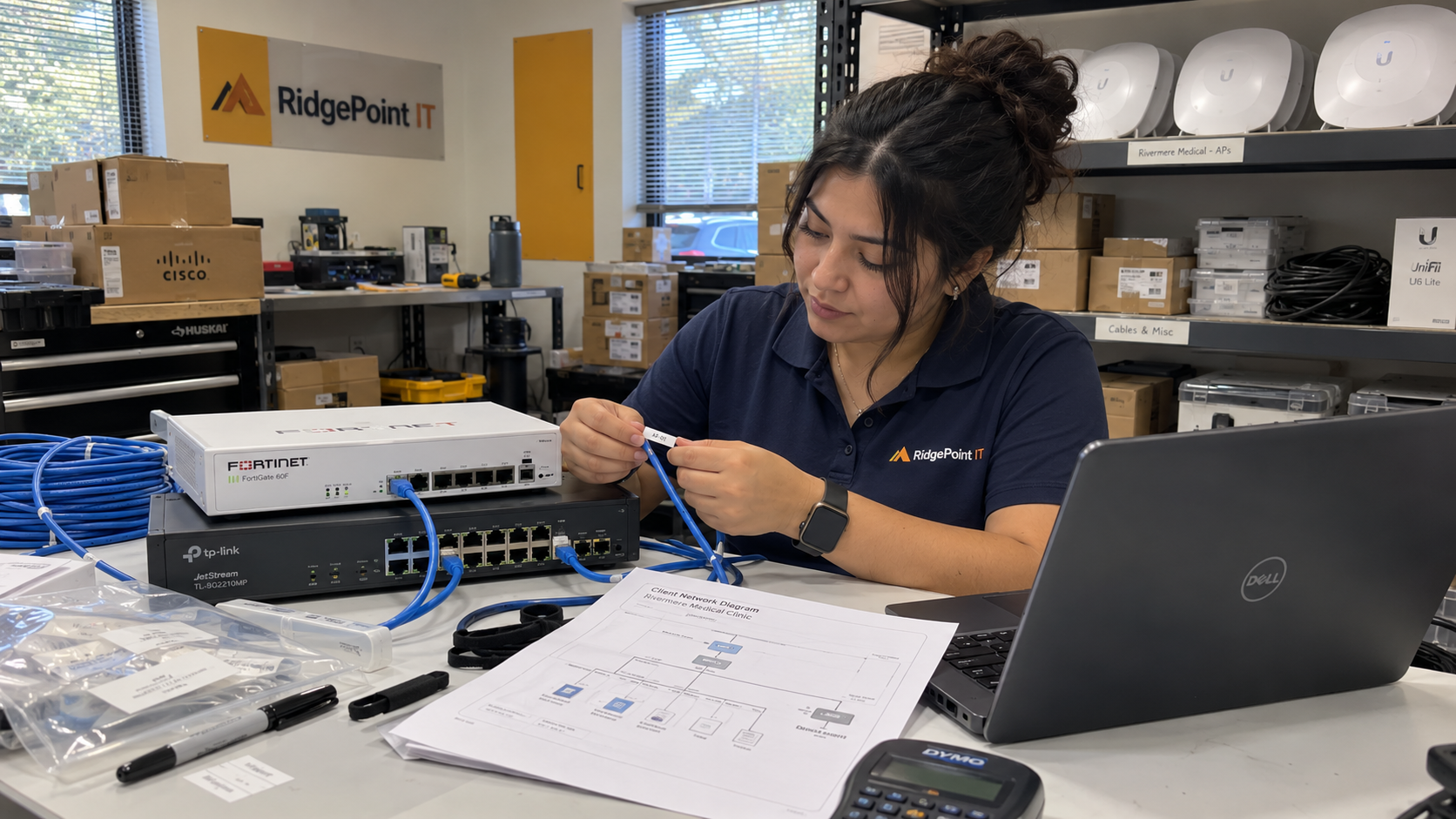
Small business network design becomes easier to support when each site record answers the same questions in the same place. Standardize the device roles, naming method, configuration record, and handoff checks. Keep each site's addresses, dependencies, and approved exceptions explicit rather than copying another client's working configuration.
The MSP Outpost model calls for a standard technology stack and training for every technician. I'd apply that rule to the design record as well as the hardware choices. The technician taking the next ticket needs to recognize the intended layout and find out where this site differs.
Think of the template as a passport: the fields stay consistent because the identities do not. A site-specific record should make it harder to mistake one client's network for another.
Define What Stays Standard and What Changes
Start with the client requirements. Record the services that must work, where they are used, who supports them, and the consequences of interruption. Include dependencies the client expects you to preserve before choosing how the site will fit your normal design.
Then separate your supported standard from the values populated for this site. The standard can name the supported device family, the way device roles are documented, and the method for reviewing a change. The site record supplies the actual hardware, addressing, uplinks, approved traffic requirements, and contacts.
Justin Esgar, in a practitioner discussion about onboarding, distinguishes a repeatable procedure from identical client settings. Eric Anthony makes the related point that standardizing a process doesn't mean the same solution fits every situation. That distinction is useful here: a common review method can still expose a design that needs an exception.
If the requirements fall outside your supported design, identify that before the quote becomes a deployment plan. Record the extra work and the person who can approve it. An unexplained departure should not become the next technician's discovery exercise.
Build a Site Record a Technician Can Navigate
I'd keep the design summary compact and point it to the detailed records needed to work on the site. The following fields are a starting structure, to adapt to the services you actually manage.
| Template Section | Site-Specific Record | Handoff Check |
|---|---|---|
| Site identity | Client, location, support responsibility, and record owner | Confirm the technician can distinguish this site from other locations |
| Service dependencies | Required business applications and their network dependencies | Confirm the requirements have a named client approver |
| Internet and uplinks | Provider, circuit references, connection roles, and escalation contacts | Compare the documented links with the installed site |
| Network roles | Firewall, switches, access points, and other supported roles | Match device names and physical records to the design |
| Addressing and segments | Approved ranges, purposes, and connection requirements | Review against the actual environment and connected networks |
| Access and management | Authorized administration method and secure credential references | Confirm the support team can use the approved access route |
| Exceptions and changes | Reason, approver, support effect, and associated work | Confirm each departure has an owner and a reviewed plan |
Keep credentials in your approved credential system, referenced from the site record. The design document should tell a technician where authorized access is managed. It shouldn't require copying secrets between diagrams, tickets, and configuration notes.
Record what is installed and what is planned as separate states. If a replacement is ordered but not deployed, a technician should not have to infer that from a purchase note. Mark the current device and the planned change clearly.
Give Names a Meaning You Can Explain
Choose a naming pattern that identifies the client or site, the device role, and a unique local identifier. Write the pattern beside an example using placeholders, then state how replacements and retired names are handled. Use the same identifiers in the asset record, diagram, and support notes.
Don't rely on a hostname to carry every detail about the device. Keep model, serial number, physical location, and configuration references in their own fields. Otherwise a hardware change can leave a name that describes equipment no longer present.
Have a technician follow a device from its record to the relevant diagram and installed location. Any ambiguity belongs in the design review. A name that only its creator can interpret hasn't met the support requirement.
Make the Diagram Match the Installed Network
Use a consistent diagram legend and distinguish physical links from logical relationships. Label what each connection represents. Keep detail sufficient to identify the path a technician needs to investigate without attempting to place every configuration setting on the picture.
Say a client moves into a new office while keeping an application supported by another supplier. The standard design gives the project team familiar device roles and record sections. The site-specific requirements still need to describe that application's connections and the supplier's responsibility.
Before deployment, have the reviewer compare those requirements with the proposed configuration. After deployment, have the implementer update the diagram to what was actually installed. The service lead should receive the installed record, any remaining work, and the relevant supplier contacts together.
I'd avoid signing off the handoff while the only current diagram is the proposal. If the installed topology changed, record the reason and the approval. That gives support a specific difference to understand instead of competing versions to choose between.
Test the Requirements and the Exceptions
Choose acceptance checks from the client's agreed service requirements and your approved configuration. Include the connections that should work and those the design is intended to prevent. Assign the checks to a qualified reviewer and preserve their results with the change record.
A completed configuration export alone doesn't demonstrate that the required application works from the intended location. Equally, a successful application check doesn't demonstrate every access restriction. Record the result each check was intended to establish rather than treating one successful connection as approval of the whole network.
Use the exception record to plan further work. Give each departure a reason, owner, affected services, and review condition. If it is temporary, identify what must happen to remove it and who will confirm completion.
Don't describe the template as guaranteeing security, uptime, or a particular reduction in tickets. Its usefulness depends on accurate site data, a design suited to the requirements, competent implementation, and continued upkeep. Check those conditions in the handoff instead of putting the promise in the document title.
Maintain the Template Through Changes
When a site changes, update the installed record with the change. Keep the approved request, implementation result, and document revision connected. Have the technical standard's owner decide whether a useful change belongs in the reusable template or remains specific to that client.
Train the support team on where the current record lives and how to interpret it. Ask a technician who didn't build the site to locate a device, identify an uplink, and find an approved exception. Their unanswered questions provide a practical revision list.
Start with an existing site your team can verify. Build its record, compare it with the installed environment, and complete the handoff check. Reuse the structure for the next site, with a fresh requirements review and site-specific values.

mspoutpost.com/articles/small-business-network-design-with-a-reusable-site-template
Written by Dana Kowalski
MSP Outpost publishes information, not legal, financial, insurance, tax or compliance advice, and reading it creates no professional relationship. For decisions about your business, talk to a qualified professional.