Compare MSP pricing models before renewal. Picture a client you've billed per user adding devices that your rate never allowed for. You'll need to recover the extra delivery cost or change the agreed scope.
The fix is a hybrid: a per-user rate calculated for each client to cover their delivery costs and your margin, plus a separate per-endpoint charge for devices beyond an agreed baseline. You build it from your own cost data, and you roll it out at renewal, not mid-contract. That's the model I'd start with, and this is how you prepare the proposal.
Why Per-User or Per-Device Alone Will Misprice You
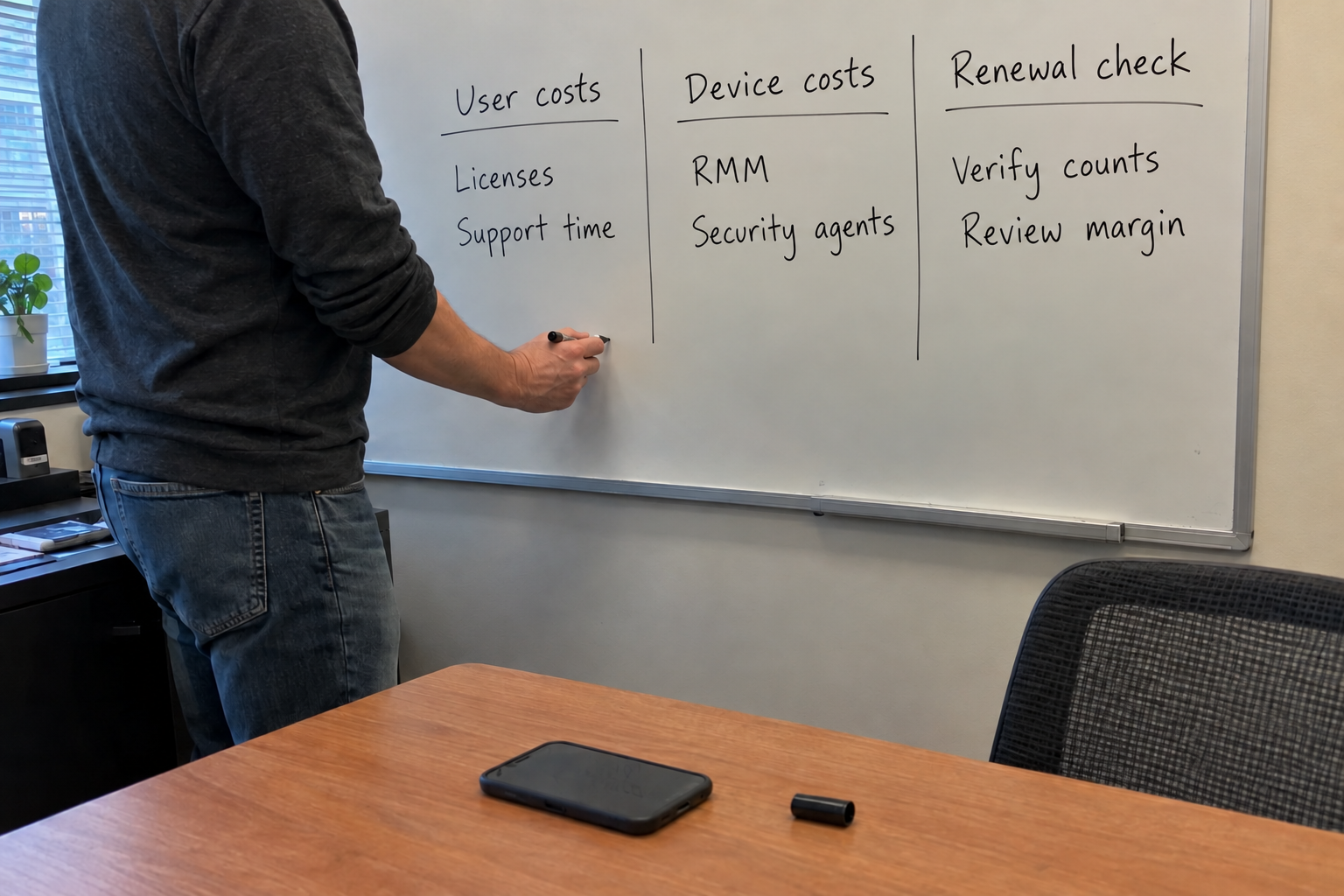
Your costs are split between user and device buckets. Users cost you identity, licensing, and support for the person. Devices cost you RMM, patching, security agents, and endpoint work. Either billing unit can recover both buckets, but only if your calculation includes them.
Take a client whose users have several devices each. The device-based RMM and security costs apply across all those devices. A per-user rate can cover them, but only if its cost assumptions include the full device count. Check those assumptions for each client.
Step 1: Pull Your Real Costs Per User and Per Device
Before you set any rate, you need your monthly vendor costs split by user and by device. Log into your RMM and your M365 tenant, and list every recurring charge: per-user licensing, per-device agents, security tools, anything that scales with a count. Your PSA has the labor hours per client if you track them.
A simple spreadsheet divides each bucket by the count. Divide device-based vendor charges by the devices they cover and user-based charges by the licensed users. Add your delivery labor cost per client: hours per month times your burdened delivery rate, with an allocation for shared delivery work. Include every delivery cost once before you calculate the client's margin.
It's the part that decides everything else. Get the numbers wrong here and the whole model is wrong.
Step 2: Set a Per-User Rate That Covers Each Client's Devices
Now you price each client individually. Add the monthly delivery labor and tool costs for the agreed scope, divide by one minus your target margin, then divide by the user count. That gives you a per-user rate that covers the full delivery cost. Keep a separate per-device charge for work and tools beyond the agreed baseline, calculated from that extra cost at the same margin.
Use the model's US example as a calculation, not a quote for your client. Its rounded fully loaded managed-service cost is $103.10 per seat per month, made up of $80.60 in burdened delivery labor and $22.50 in tools. For the example client's 20 seats, 20 times $103.10 is $2,062 of monthly delivery cost. At the model's 50% managed-service margin target, $2,062 divided by 0.50 gives $4,124 a month, and $4,124 ÷ 20 = $206.20 per seat.
Adding a 50% markup to that same $2,062 instead gives $3,093, which earns only about 33.3% gross margin. Gross margin is the share of revenue left after those delivery costs, not a percentage added to cost. The example includes labor and tools; your client's actual device mix and workload must replace its average costs before you quote.
Once the rate covers the full delivery cost, check each client against per-user pricing. The case to watch is a client with an unusually high device count. For that client, you'll quote a custom rate, and I'll come back to that.
Step 3: Move Existing Clients Over at Renewal, Not Mid-contract
Mid-contract changes invite arguments. At renewal, you have a natural moment to restate the terms. Present the new structure as a renewal package: here's your cost breakdown, here's what changed, here's why it's predictable. And give them the data before you ask for the signature.
As a proposed reporting schedule, share monthly user and device counts during the 90 days before renewal, adjusting the start to meet the contract's notice requirements. The client can check the numbers behind the proposed rate before deciding. Keep reporting agreed billing counts after renewal so changes can be reconciled before the next bill. One operator reports splitting user and computer charges and sending monthly reports so clients could adjust before billing.
One caveat: this depends on accurate device counts from your RMM. If you undercount devices, your margin erodes silently. Verify the data before you quote, and re-check it each renewal.
When the Hybrid Model Fails: Unusual Client Shapes
The hybrid has limits. When a client has many endpoints but few users, a per-device rate or a site-based bundle may fit better. If the client wants a single invoice amount, you can combine the user and device lines into one bundle figure, as long as your internal calculation still covers costs at the target margin.
My read: keep the hybrid as your default, and reserve tiered or location-based models for the outliers. Don't let one unusual client dictate your whole pricing structure.
Your Monday: Build the Cost Spreadsheet
Start with the spreadsheet. Pull your vendor bills, split them by user and device, and calculate your per-unit costs. Then test the hybrid rate against clients with different device mixes and delivery workloads. Compare the client's fully loaded delivery cost with the standard rate at your target margin, and prepare a custom quote when that calculation does not fit.
Use the client spreadsheet to decide where a hybrid model fits and where a tiered or site-based approach needs further work. Prepare the proposed structure before the renewal meeting.

mspoutpost.com/articles/msp-pricing-models-choose-from-your-own-client-costs
Written by Graham Whitfield
MSP Outpost publishes information, not legal, financial, insurance, tax or compliance advice, and reading it creates no professional relationship. For decisions about your business, talk to a qualified professional.